
Groundwater
Record groundwater in Borehole Logging: water strikes, standing levels, seepage, and groundwater not encountered, with the time and casing depth.
Applies toWindows and macOSWeb browser
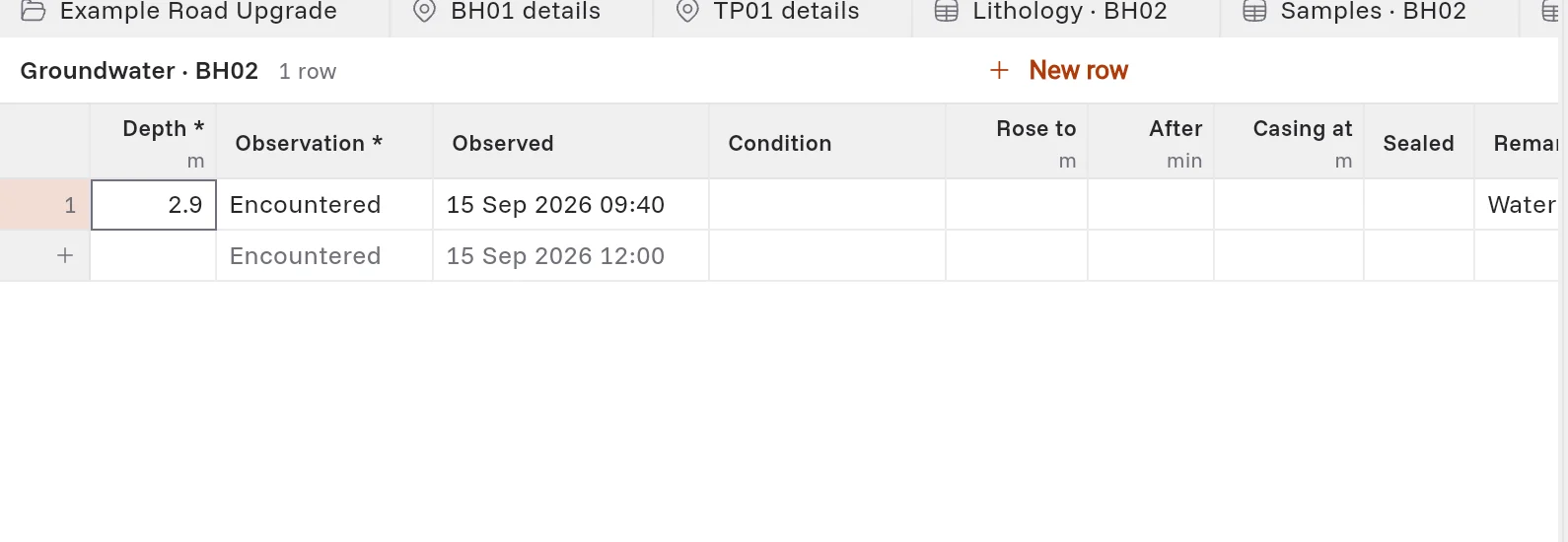
The Groundwater table records each time that you see water in the hole. It is in the Monitoring group. The log sheet prints a water symbol at each depth.
Record water
- Open the hole's Groundwater table.
- Type the Depth in metres.
- In Observation, select what you saw:
| Observation | Use it when |
|---|---|
| Encountered | The drilling met water (a water strike). |
| Standing | You measured the water level after it settled. |
| Seepage | Water came slowly into the hole. |
| Not encountered | The hole met no water. See below. |
- In Observed, type the date and time, for example 15/09/2026 09:40.
- Optional: fill in the other columns:
| Column | What to type |
|---|---|
| Condition | A short note, for example after rain. |
| Rose to | The depth that the water rose to, in metres. |
| After | The minutes after the strike when you measured the rise. |
| Casing at | The depth of the casing at that time, in metres. |
| Sealed | Select it when the casing sealed off the water before drilling continued. |
Groundwater not encountered
When the hole met no water, add one row:
- In Observation, select Not encountered.
- In Depth, type the depth that the hole was drilled to when you checked.
The log sheet prints the words of your template, for example GWNE, down the water column to that depth.
Water levels at the start and end of a shift
Record these in Progress & water levels. See Drilling method and progress.