Activity and turnaround dashboards
See what each person did in a period, and how long each job took from lodgement to the first report, in GeotechOS Lab's activity and turnaround dashboards.
Applies toWindows and macOSWeb browser
Two dashboards show the work of the laboratory: Activity, by person, and Turnaround, by job.
Activity
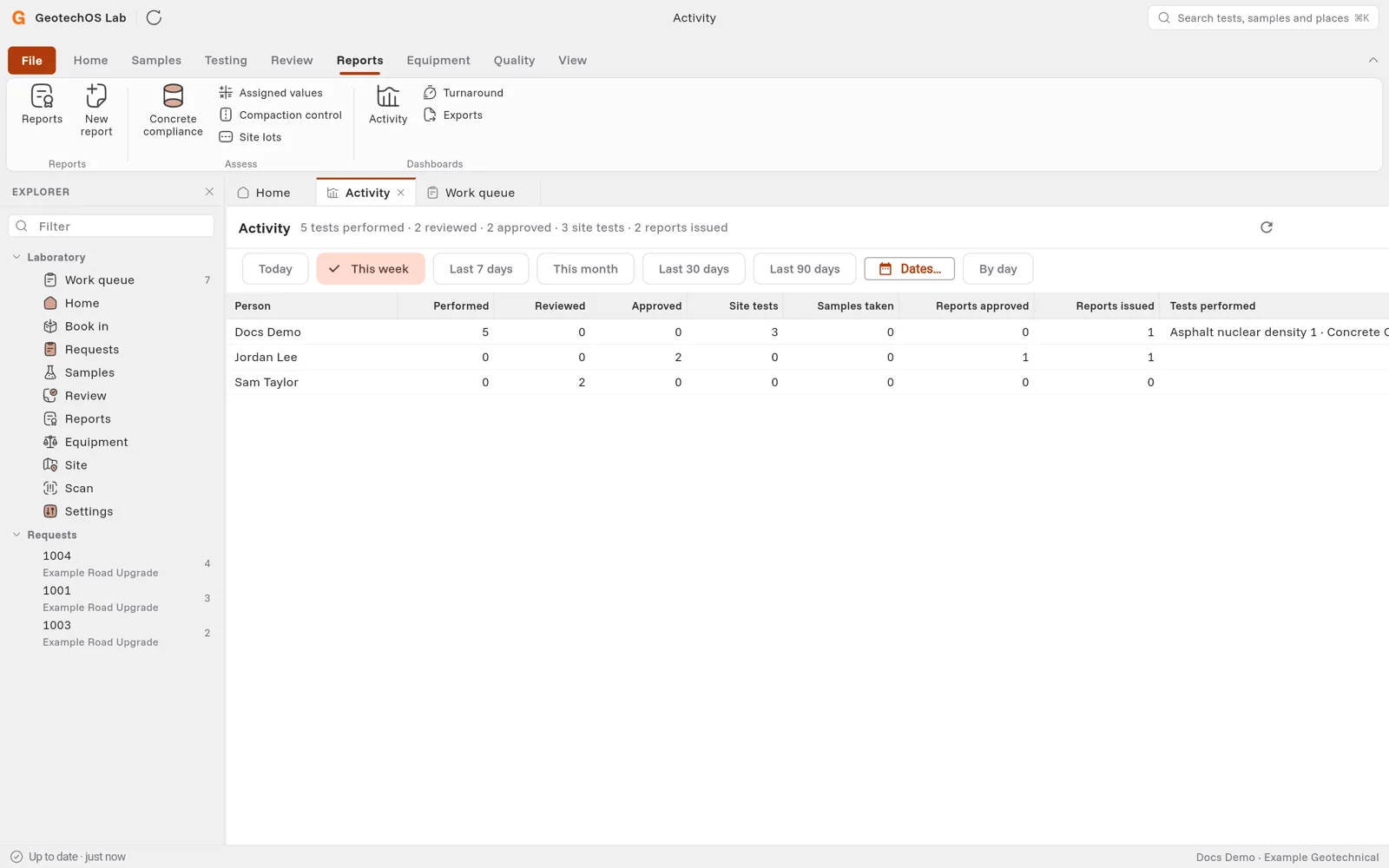
Click Reports › Activity. Choose a period, for example This week, or click Dates…. Click By day to see a row for each person on each day.
For each person, Lab counts the tests performed, reviewed and approved, the site tests, the samples taken on site, and the reports approved and issued. The last column lists the tests performed.
Turnaround
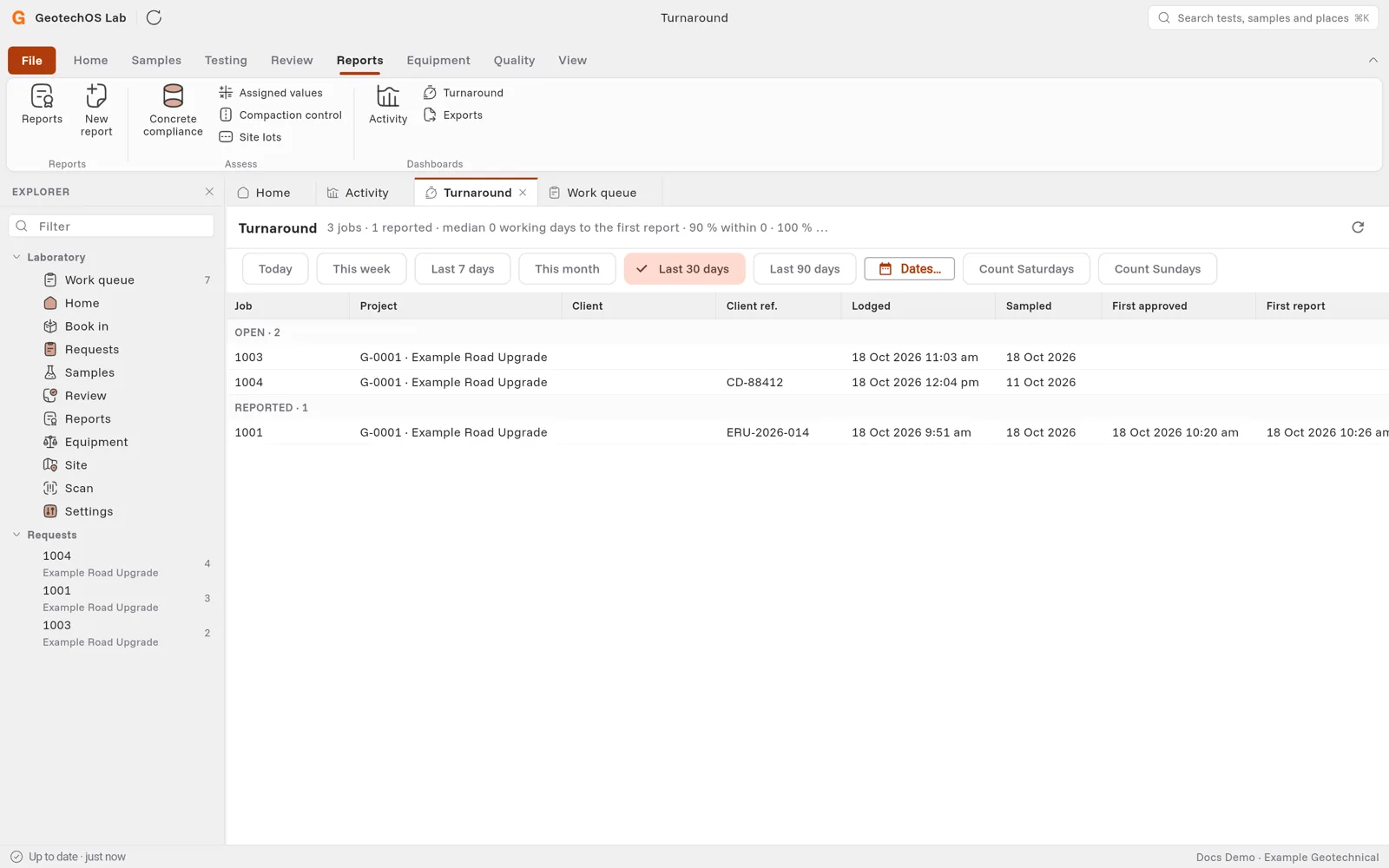
Click Reports › Turnaround. Lab lists the jobs lodged in the period, open jobs first, then reported jobs. Cancelled jobs are not included.
Each job shows when it was lodged and sampled, when its first result was approved, its first report, its due date, the working days to approval and to report, and whether it was on time.
The line at the top shows the median number of working days to the first report. Lab counts Monday to Friday. Click Count Saturdays or Count Sundays to include them.