
The office home
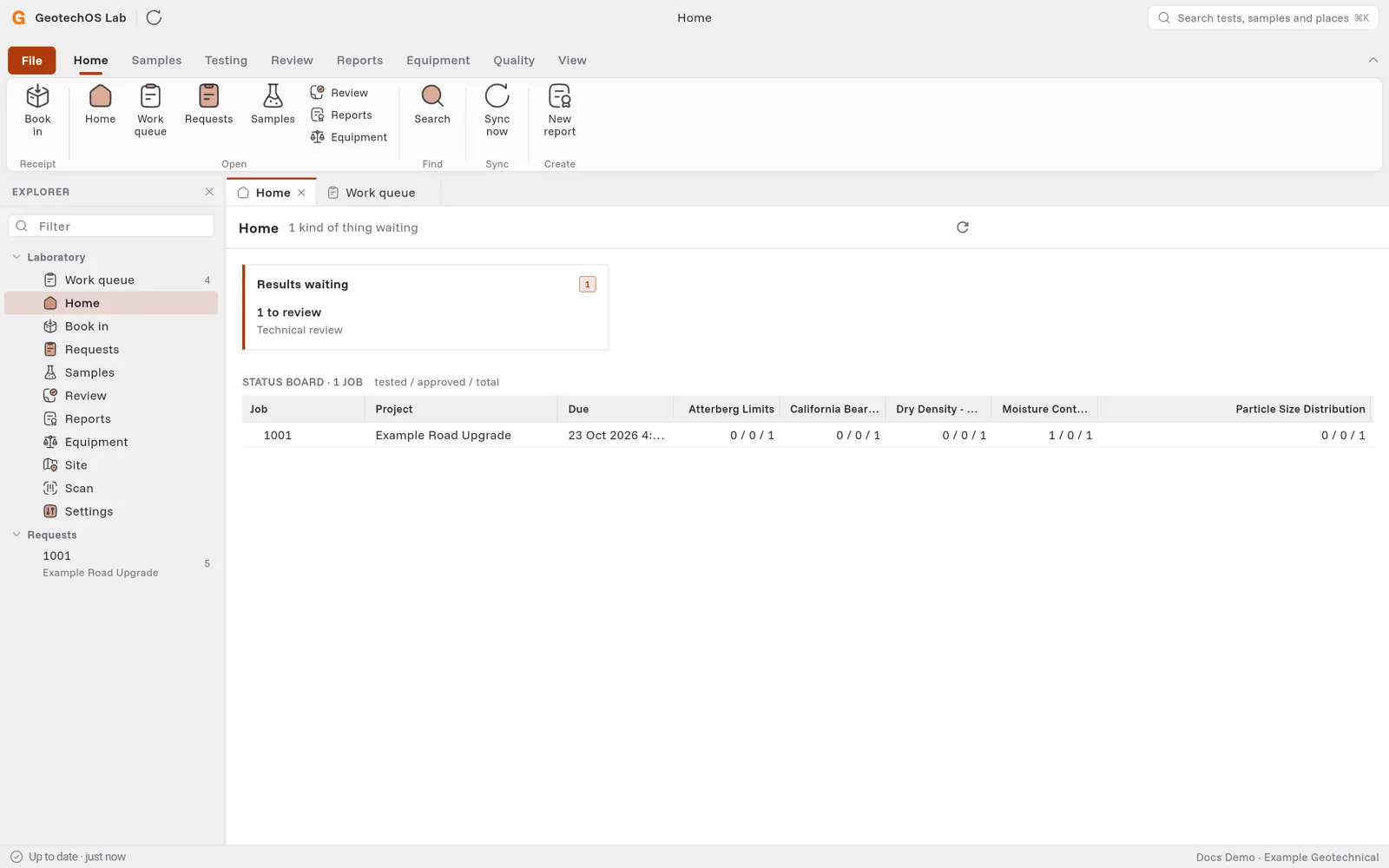
The GeotechOS Lab office home shows what waits on a decision, such as jobs to release, results to review and reports to issue, and a status board of open jobs.
Applies toWindows and macOSWeb browser
Home shows what waits for someone in the office. Open it with Home › Home or Ctrl+0.
Cards
Each card shows a kind of work that waits, with a button to do it. For example:
- Jobs to release to the bench.
- Samples held back.
- Tests blocked or late.
- Results to review or approve.
- Reports to approve or issue, and emails that bounced.
- Equipment locked out, overdue or due in the next week.
When nothing waits, Home says Nothing to release, chase or sign off.
Status board
The status board shows each open job, with one column for each kind of test. Each cell shows tested / approved / total. A red or amber dot shows a job due today or in two days. Double-click a job to open it.