
Equipment checks
Set up and record the routine checks of laboratory equipment in GeotechOS Lab, such as a balance check, with each reading judged against your tolerance.
Applies toWindows and macOSWeb browserPhone and tablet
A routine check shows that a piece of equipment still works correctly between calibrations, for example a balance read against a reference mass. Lab judges each reading against the tolerance that you set. A check that fails locks the equipment out, so that no test can use it.
Open the equipment
- Computer: click Equipment › Equipment and checks.
- iPad: tap Equipment on the rail.
Each item shows its asset code and its checks, for example 2 checks in date, or No checks set up.
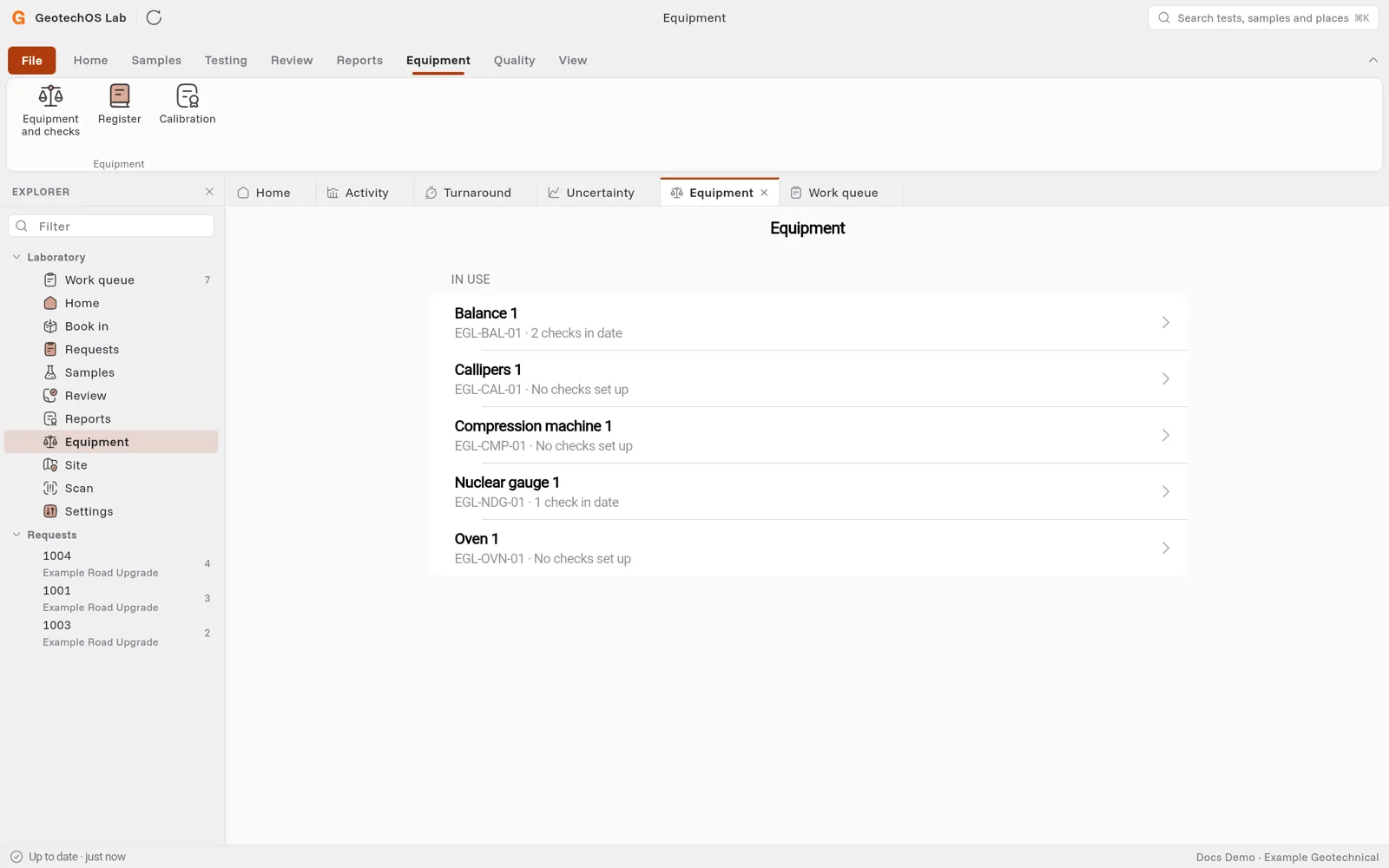
Set up a check
- Click the equipment, for example Balance 1.
- Under Set up a check, click the check, for example Balance single point check. The checks made for this kind of equipment are at the top.
- Type the tolerance, for example 0.1 g, from the method that the equipment is used for.
- Under How often, type the number of days between checks. Leave it blank to use the usual interval.
- Click Set up the check.
Setting up a check needs an internet connection.
Do a check
- Click the check under Checks.
- Answer the condition questions, for example Apparatus clean.
- Type the reference value and the reading. Lab shows the tolerance under them.
- Under Result, check that Conforms shows Pass.
- Click Record the check.
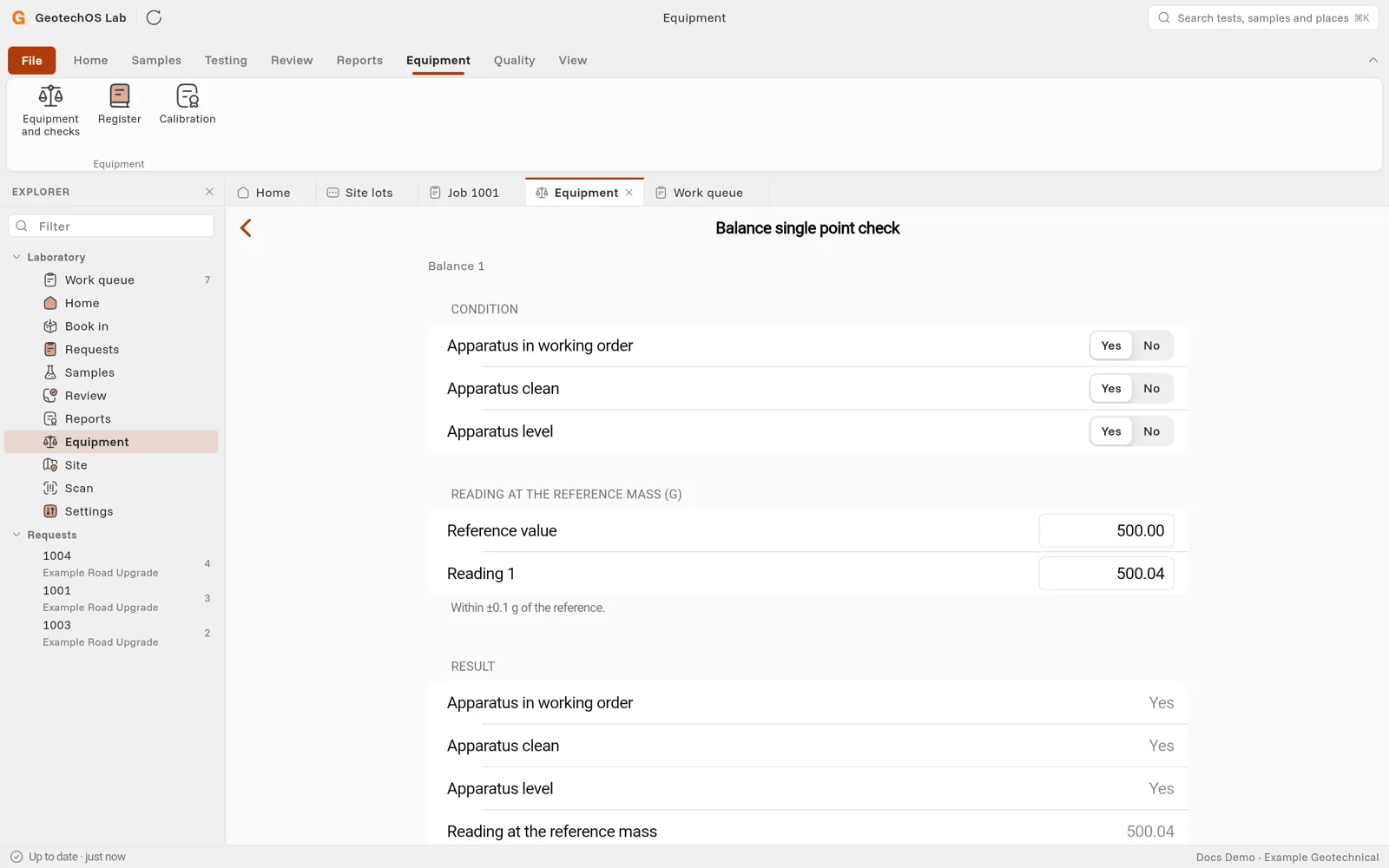
The check shows In date, the day it was done and the day it is due next.
Caution: If a check fails, Lab locks the equipment out. Put the problem right, then release it on a computer in Equipment › Register › Release. See Add equipment.