
Site photos on tests and lots
Add photos with captions to a field density test or a site lot in GeotechOS Lab. Each photo is printed on a page of its own in the report.
Applies toPhone and tablet
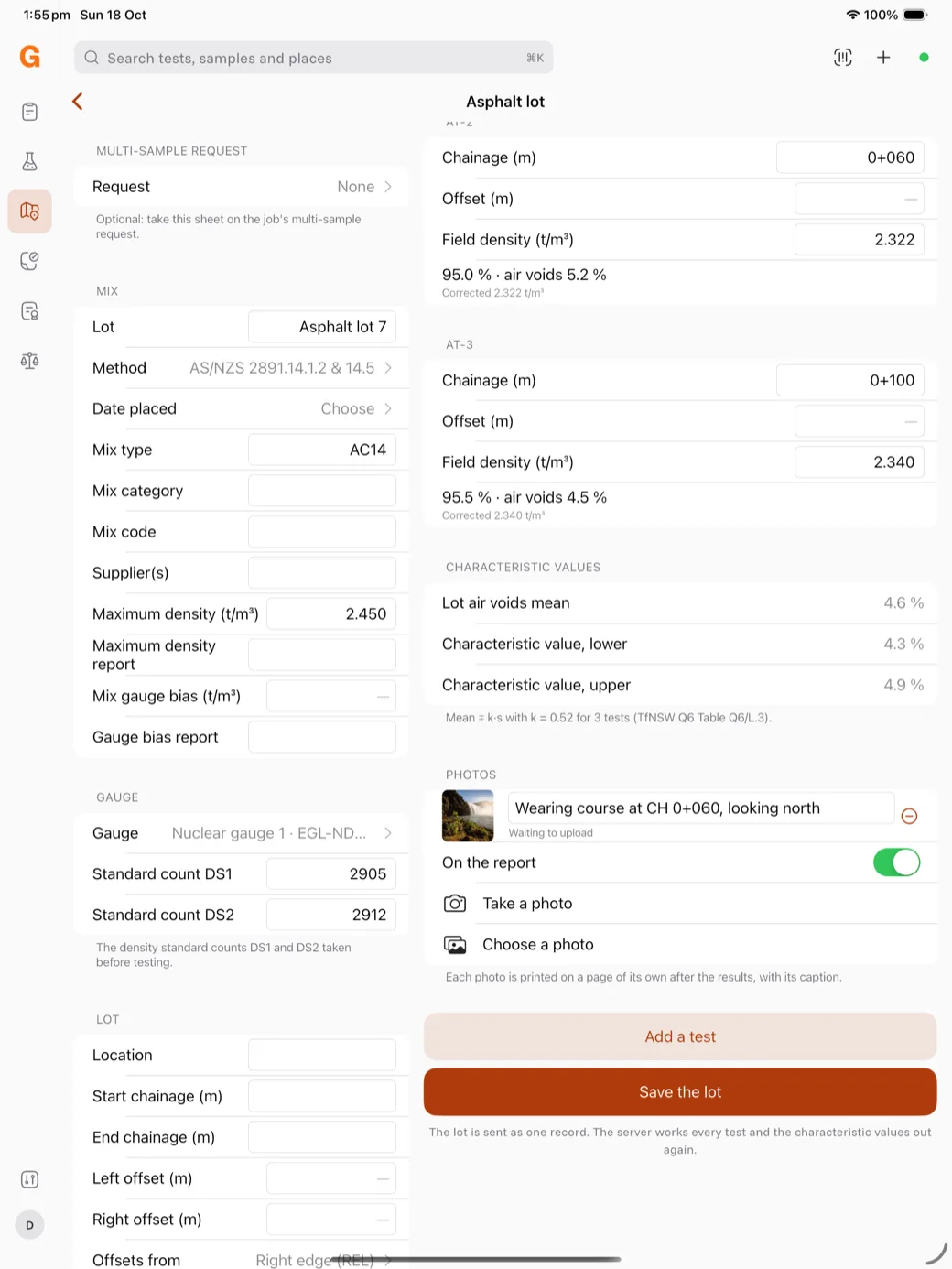
You can add photos to a field density test or a site lot, for example of the test site or the finished surface. Each photo that is on the report is printed on a page of its own, after the results, with its caption under it.
Add a photo
On the test or the lot, under Photos:
- Tap Take a photo to use the camera, or Choose a photo to pick one from the device.
- Type a Caption, for example Wearing course at CH 0+060, looking north.
- To keep the photo off the report, turn off On the report.
To remove a photo, tap the red minus sign.
Upload the photos
A new photo shows Waiting to upload. Lab uploads it after the test or lot is saved and sent. If the server refuses a photo, the reason shows under it.
Note: Lab keeps the photo on the device until it is uploaded. Do not delete it from the device before the next sync.