
Add equipment to the register
Add balances, ovens, gauges and other laboratory equipment to the GeotechOS Lab equipment register, with asset numbers, locations and limits.
Applies toWindows and macOSWeb browser
Add each piece of equipment that a test uses. A test records the equipment it was done with, and Lab only lets people use equipment that is in date.
Add a piece of equipment
- Click Equipment › Register.
- Click New equipment.
- In Name, type a name, for example Balance 1.
- In Asset no., type your asset number, for example EGL-BAL-01.
- In Kind, select the type, for example Balance, Oven or Nuclear Gauge.
- Type the Manufacturer, Model and Serial no.
- In Acquired, click and select the date you got it.
- In Kept at, type where it is kept, for example Soils room, bench 2.
- In Performance limits, type its limits, for example Capacity 6100 g, readability 0.01 g.
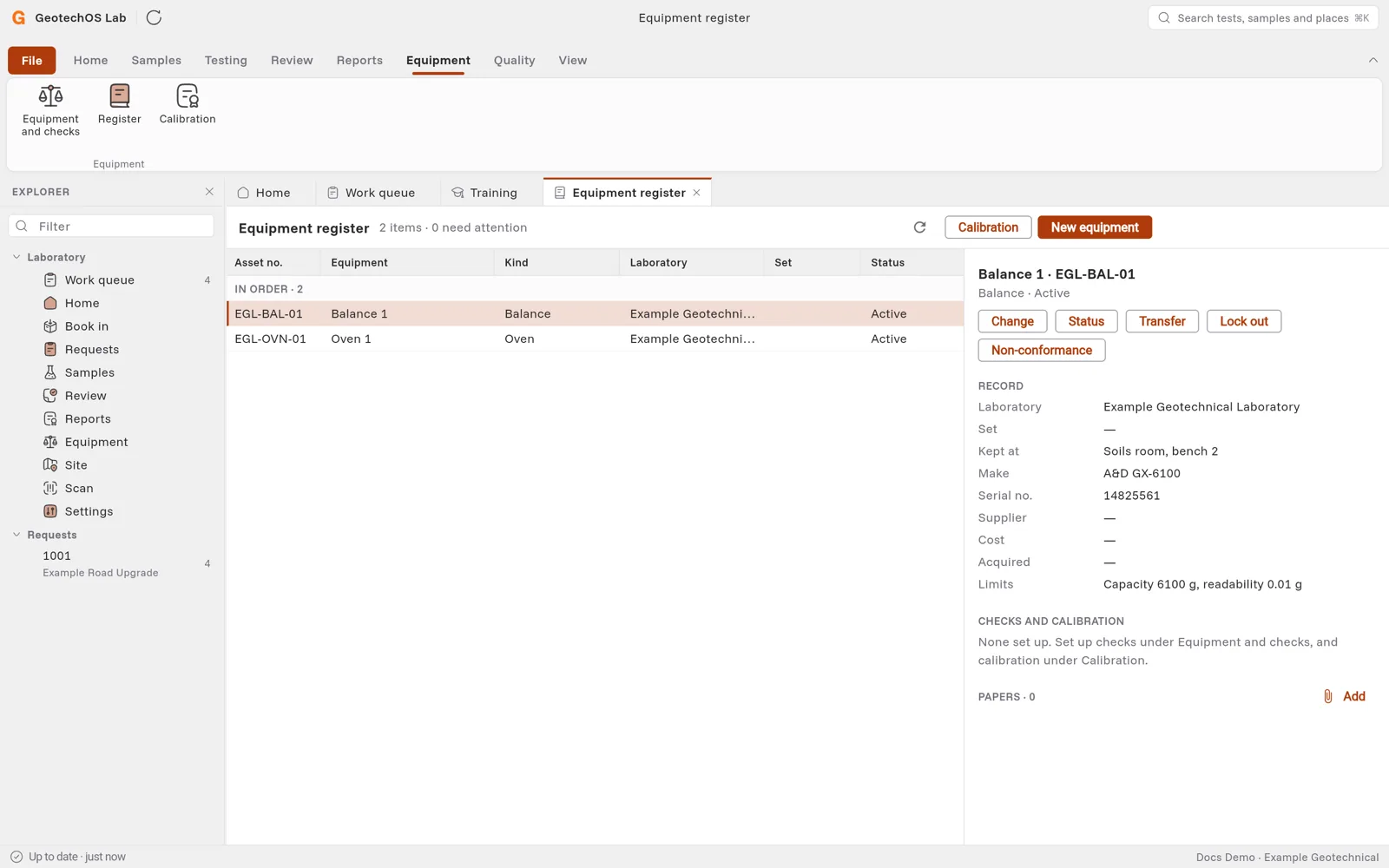
- Click Save. The equipment shows in the register, with its record at the right.
Work with a piece of equipment
Pick a row in the register. The buttons above its record do these tasks:
| Button | What it does |
|---|---|
| Change | Edit the record. |
| Status | Change the status, for example to out of service. Type why. |
| Transfer | Move it to another laboratory. |
| Lock out | Stop it being used. Type why. When it is put right, click Release and type what was done. |
| Non-conformance | Raise a non-conformance about it. |
| Licence | For a nuclear gauge: its radiation licence. |
Under Papers, click Add to keep a manual, a certificate or a photo with the equipment.