
Do a test on a worksheet
Do a laboratory test in GeotechOS Lab. Enter the readings on the worksheet, pick the equipment, tick the steps and submit the result for review.
Applies toWindows and macOSWeb browserPhone and tablet
The worksheet is where you enter the readings of a test. Lab calculates the result as you type, with the same calculation that the server uses. This example is a moisture content test to AS 1289.2.1.1 on an iPad.
Before you start
- You must be authorised to do the test. See People and authorisations.
- The equipment you use must be in the register and in date.
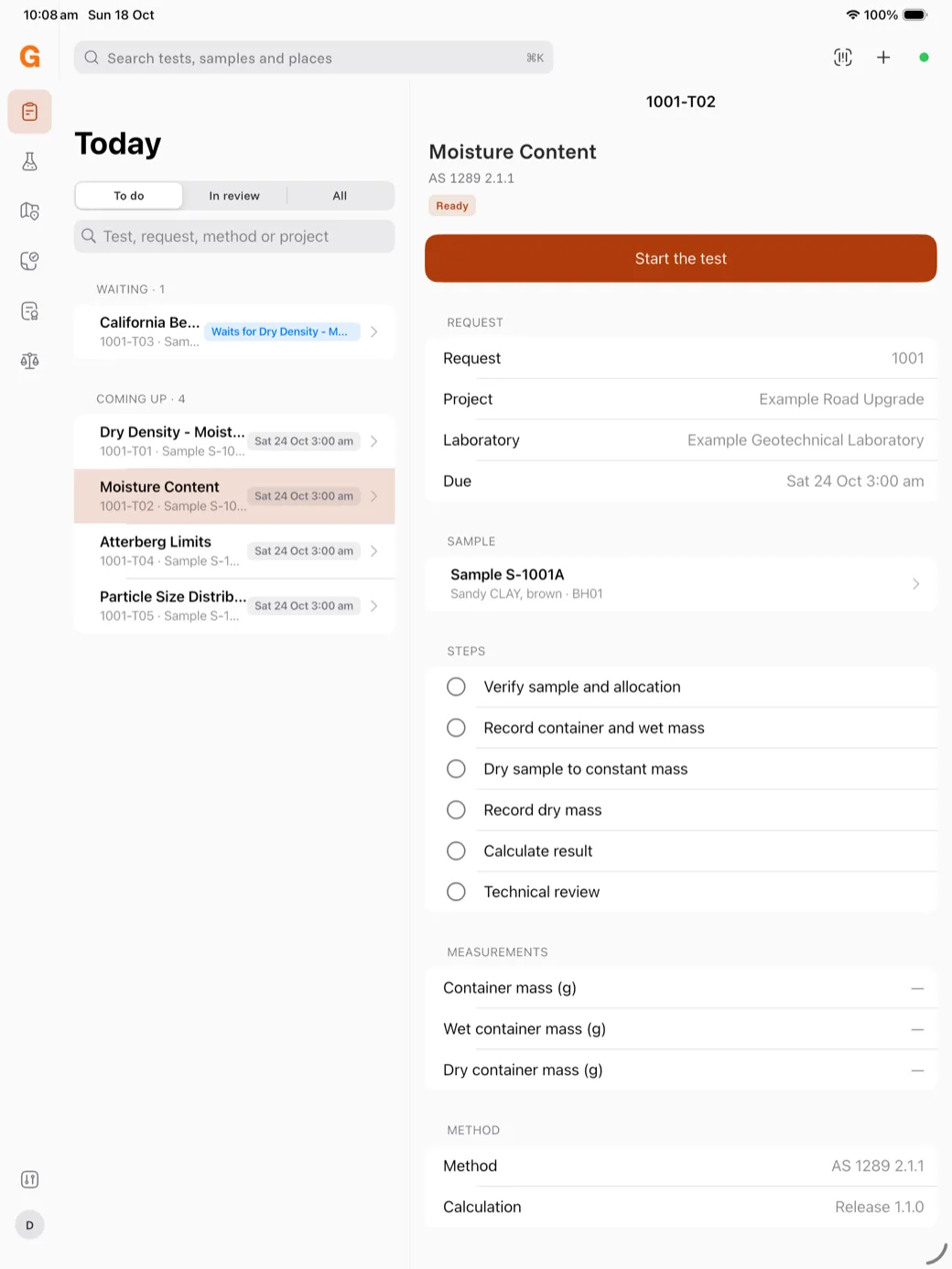
Start the test
- Open the test from Today or the work queue.
- Tap Start the test. The worksheet opens.
Enter the readings
- Tap the first measurement, for example Container mass (g), and type the value.
- Press Return to go to the next measurement.
- Type each value the way you read it. Lab keeps the zeros you type, for example 45.20.
As soon as the readings are complete, Result shows the value, for example Moisture content 19.8 %, with the unrounded value below it.
Pick the equipment
Under Equipment for this method, tap each piece of equipment you used, for example Balance 1 and Oven 1. A green dot shows equipment that is in date. Equipment that is locked out, out of service or with a failed check cannot be picked.
Tick the steps
Tap each step when you finish it, for example Record container and wet mass. Lab records the time.
To mark a step that did not apply, or that someone else did, touch and hold the step.
Add notes
- Testing comment stays in the laboratory. Only the reviewer sees it.
- Report remark is printed on the report with this result.
- This test is says if the test is routine, training, or another kind.
- Supervised by names the person who supervised you, if any.
Submit the test
- Tap Submit for review, or press ⌘Return.
- Tap Submit.
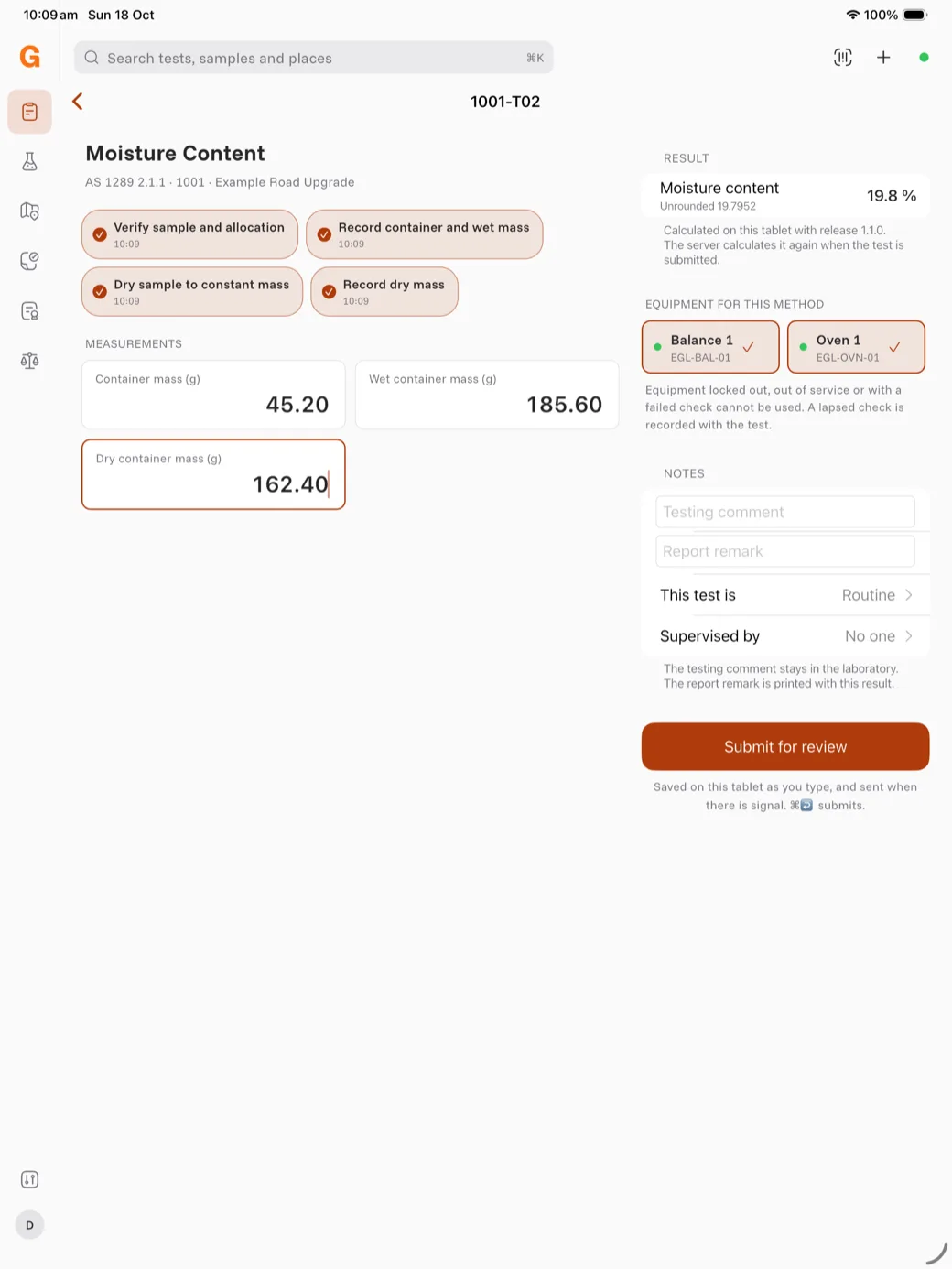
Lab sends the test to the server, which calculates the result again. The test shows Awaiting technical review. You cannot change the readings after this.
Note: You can enter readings with no signal. Lab keeps them on the device and sends them at the next sync.