
Multi-sample requests for site work
Book a multi-sample request in GeotechOS Lab for site testing, such as nuclear gauge density. Each row of the site sheet adds a sample with its tests.
Applies toWindows and macOSWeb browserPhone and tablet
Use a multi-sample request when the samples are taken on site, for example for compaction testing with a nuclear gauge. You book the job before the samples exist. Each row of the site sheet then adds a sample to the job, with the same tests.
Book a multi-sample request
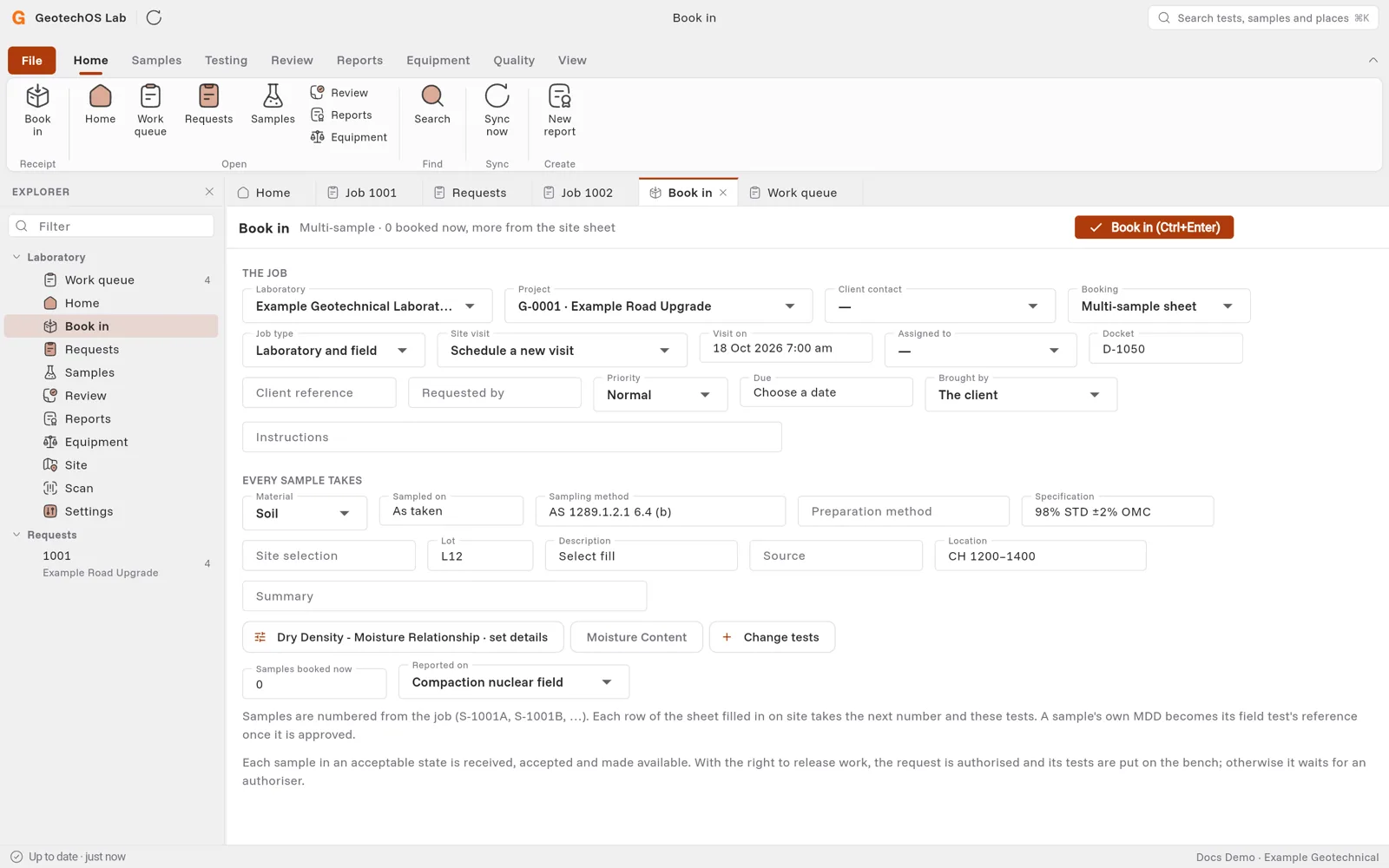
- Click Home › Book in.
- In Project, select the project.
- In Booking, select Multi-sample sheet. Lab sets Job type to Laboratory and field and Site visit to Schedule a new visit.
- In Visit on, select the day of the site visit. If the project already has a visit, you can select it in Site visit.
- Type the Docket number.
- Under Every sample takes, type what applies to every sample, for example:
- Sampling method, for example AS 1289.1.2.1 6.4 (b).
- Specification, for example 98% STD ±2% OMC.
- Lot, Description (for example Select fill), Source and Location.
- Click Pick the tests each sample gets. Select the tests, for example the dry density–moisture relationship and the moisture content, and click Use … picked.
- In Samples booked now, keep 0 if all samples are taken on site.
- In Reported on, select the site sheet, for example Compaction nuclear field.
- Click Book in.
Note: If a red message shows above Every sample takes, Lab tells you what is missing for the job to reach the site, for example the day of the visit.
On site
- On the iPad or phone, open Site, then the site visit, for example G-0001-001 · Field testing.
- Tap Nuclear gauge sheet.
- In Request, select the job, for example 1003 · CH 1200–1400 · lot L12.
- Fill in the gauge and each test.
- Tap Save the sheet.
When the sheet is sent, each row becomes a sample of the job, for example S-1003A, with its tests in the work queue. A sample's own MDD becomes the reference for its field test when the MDD is approved.