
Concrete sampling on site
Sample fresh concrete on site with GeotechOS Lab. Record the docket, the slump (AS 1012.3.1) and the cylinders, and print their labels.
Applies toPhone and tablet
On site, you record each truck of concrete that you sample on an iPad or a phone. Lab records the slump test and makes a test for each cylinder. Each cylinder falls due at its age, for example 7 or 28 days.
Before you start
The laboratory must run these tests. An administrator chooses them in Lab on a computer, in File › Options › Tests you run:
- AS 1012.3.1 slump
- AS 1012.9 compressive strength
You must also be authorised to do these tests. See Say who may test, review and approve.
Open the site visit
- Tap Site.
- Tap the job, for example G-0001-001.
- Tap Sample concrete.
Record the delivery
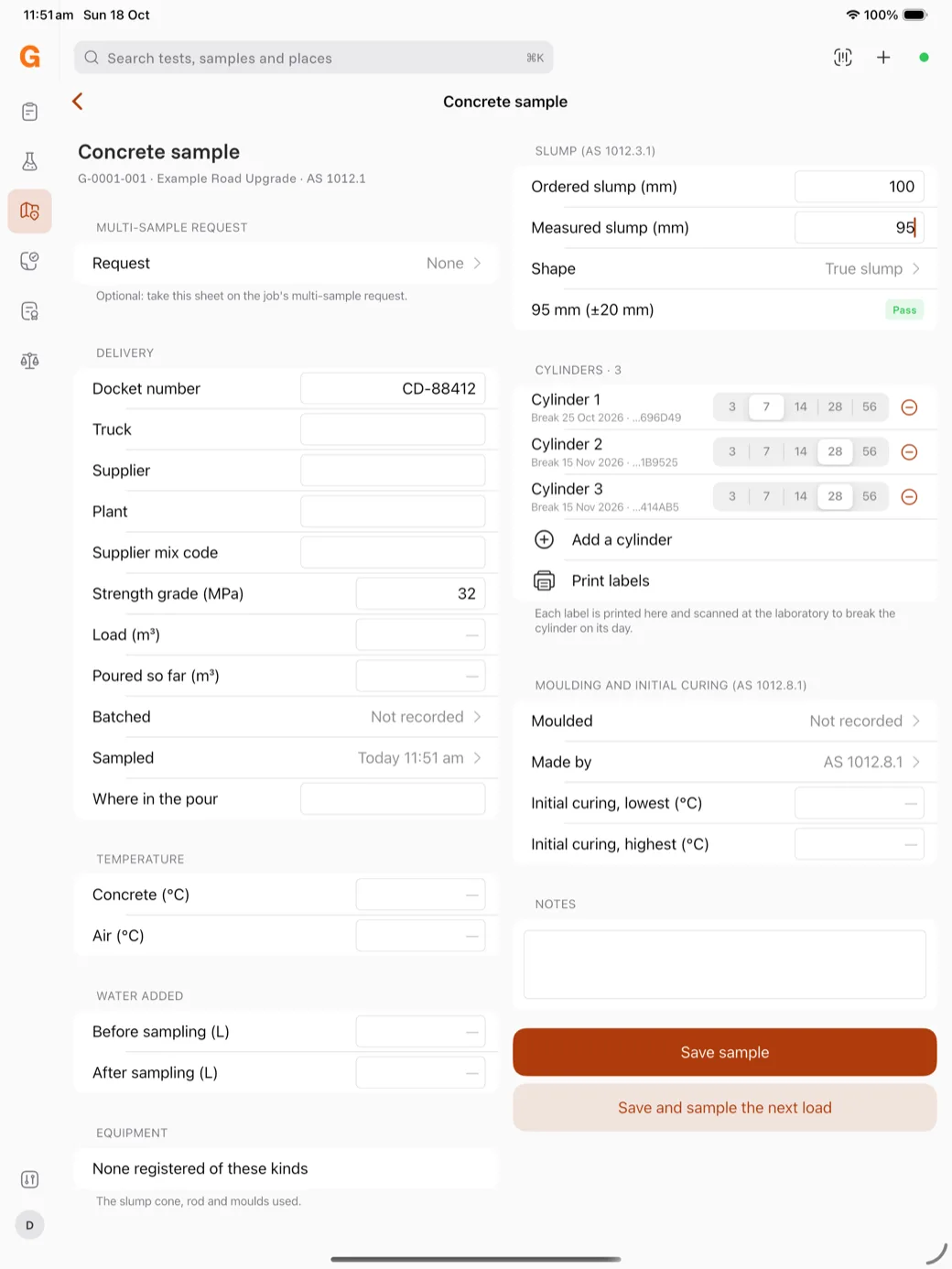
- Type the Docket number and the other details of the delivery that you have.
- Type the Strength grade (MPa).
- Check the Sampled time.
- Type the concrete and air temperatures, and any water that was added.
Record the slump
- Under Slump, type the Ordered slump and the Measured slump.
- Choose the Shape, for example True slump.
Lab shows Pass or Fail against the tolerance, for example 95 mm (±20 mm).
Make the cylinders
- Under Cylinders, tap the age of each cylinder, for example 7, 28 and 28 days. Tap Add a cylinder for more cylinders.
- Tap Print labels. Put each label on its cylinder.
- Record when the cylinders were moulded and the initial curing temperatures.
Save the sample
- Tap Save sample.
- Or tap Save and sample the next load to keep the details of the pour for the next truck.
The sample shows on the site visit. After the next sync, the sample and its cylinders are in the laboratory's queue. The sample takes a job number, for example S-1004A, and each cylinder takes a number from it, for example S-1004A-C01.
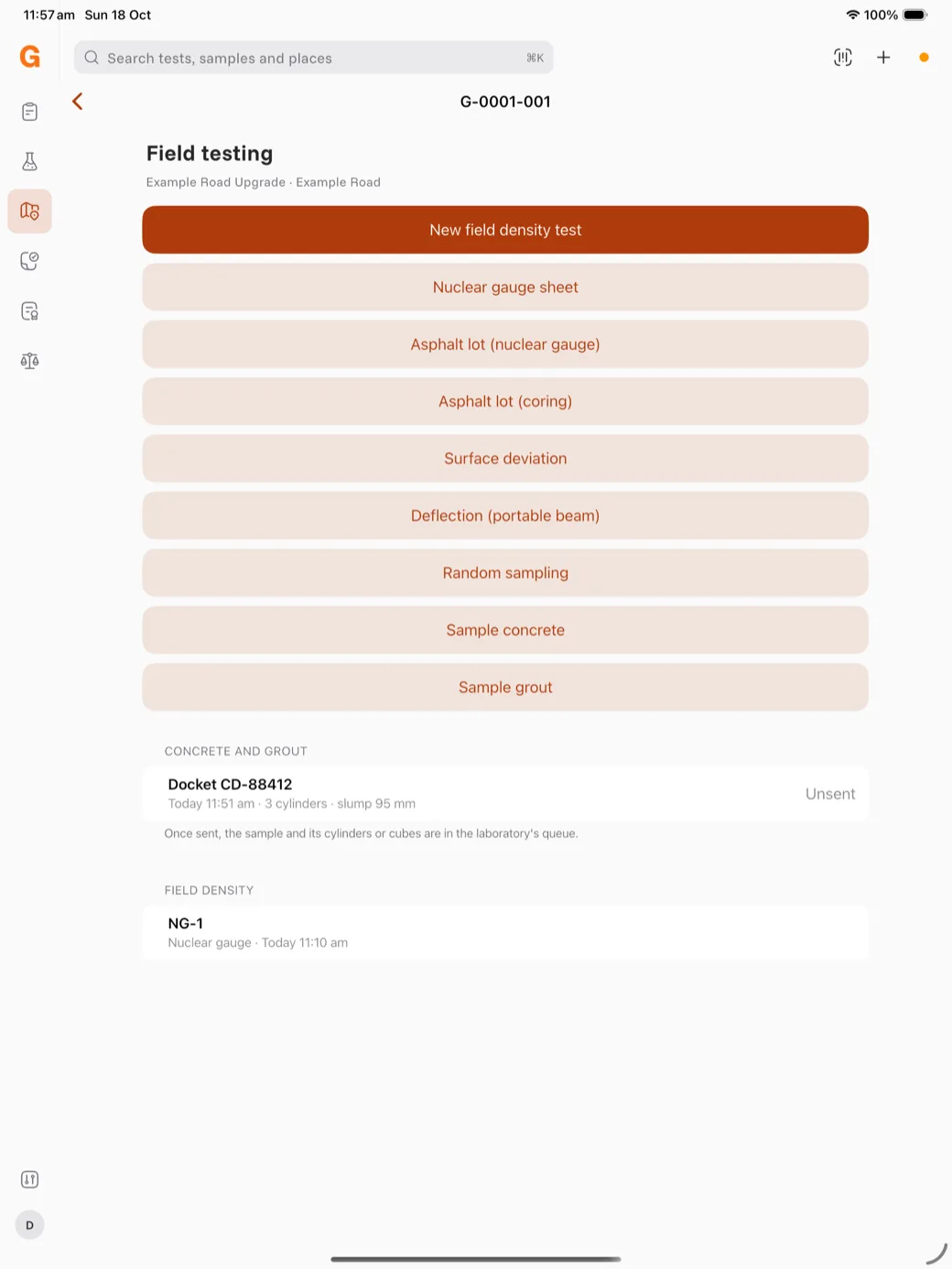
Note: If the server refuses the sample, the sync dot turns orange. Tap the dot to see the reason. Fix the problem, then tap Send again. See Work offline and sync.