
Export results to Excel
Export a project's laboratory results, concrete, grout and field data from GeotechOS Lab to Excel, including the TfNSW LIMS tabulated data format.
Applies toWindows and macOSWeb browser
You can export the data of a project to an Excel workbook (.xlsx).
Export a workbook
- Click Reports › Exports.
- Click the project. Type in Project to find it.
- Click Export .xlsx beside the export you want. Lab saves the workbook with the export, the project and the date in its name, for example Results G-0001 2026-10-18.xlsx.
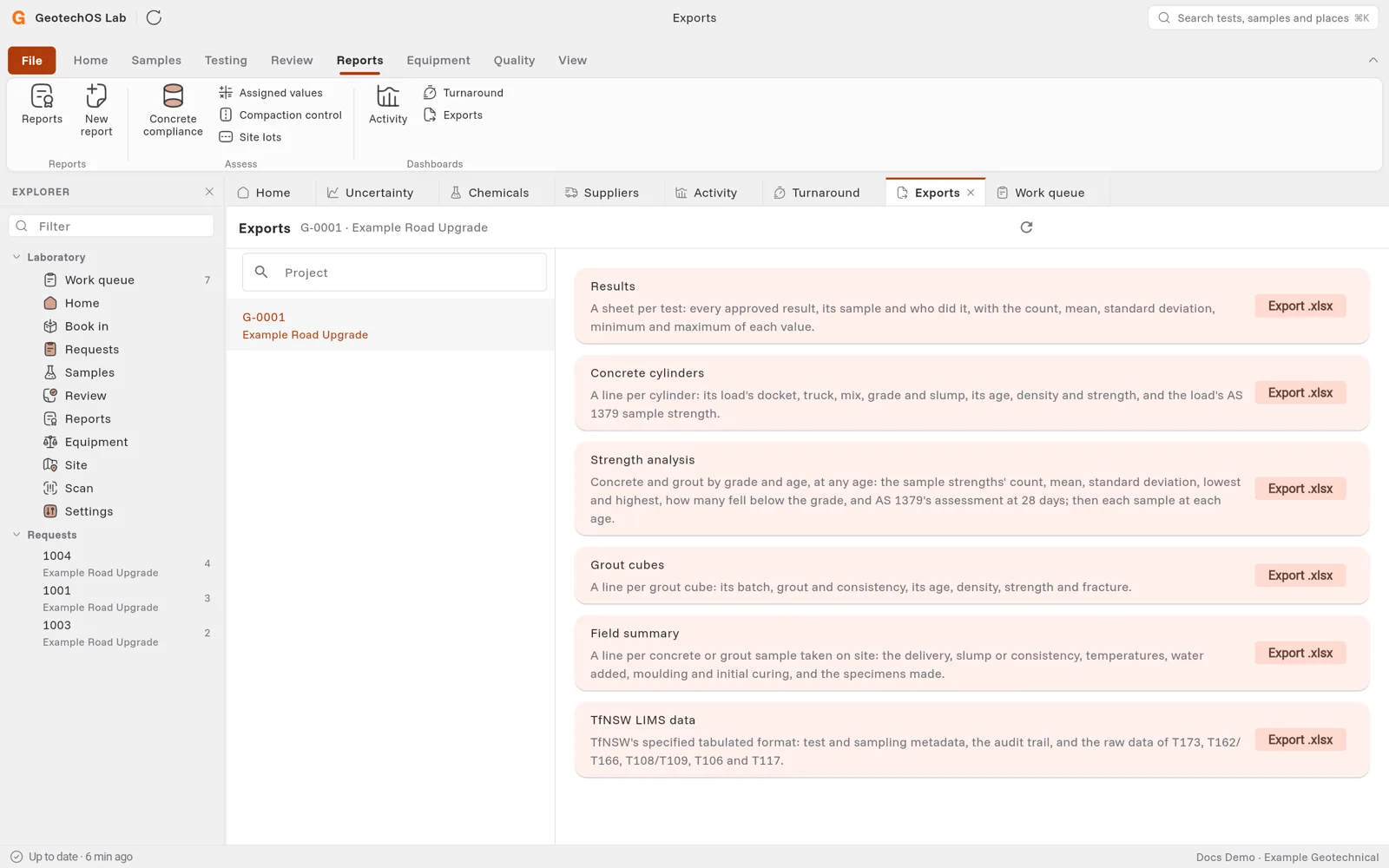
The exports
| Export | What it holds |
|---|---|
| Results | A sheet for each test: every approved result, its sample and who did it, with the count, mean, standard deviation, minimum and maximum of each value. |
| Concrete cylinders | A line for each cylinder: the docket, truck, mix, grade and slump of its load, its age, density and strength, and the AS 1379 sample strength. |
| Strength analysis | Concrete and grout by grade and age, with AS 1379's assessment at 28 days, then each sample at each age. |
| Grout cubes | A line for each grout cube: its batch, consistency, age, density, strength and fracture. |
| Field summary | A line for each concrete or grout sample taken on site. |
| TfNSW LIMS data | TfNSW's specified tabulated format: test and sampling metadata, the audit trail, and the raw data of T173, T162/T166, T108/T109, T106 and T117. |
Dates and times in the workbooks are in the time zone of the laboratory.