
Review and approve test results
Review and approve test results in GeotechOS Lab. Check the readings and equipment, review on a computer, approve on a phone, or return a test with a reason.
Applies toWindows and macOSWeb browserPhone and tablet
Each result is checked twice before it can go on a report:
- A reviewer checks the readings, the equipment and the result.
- An approver approves the result.
The person who did the test cannot review or approve it. Unless the laboratory lets the reviewer approve, the approver is a third person.
Review on a computer
- Click Review › Review queue, or press Ctrl+3.
- Click a test. At the right, check the result, the unrounded value, the measurements, the steps with their times, the equipment and the people.
- Click Review 1. If you picked more than one test, the button shows how many.
- Type a comment if you want, then click Continue.
The test moves to To approve.
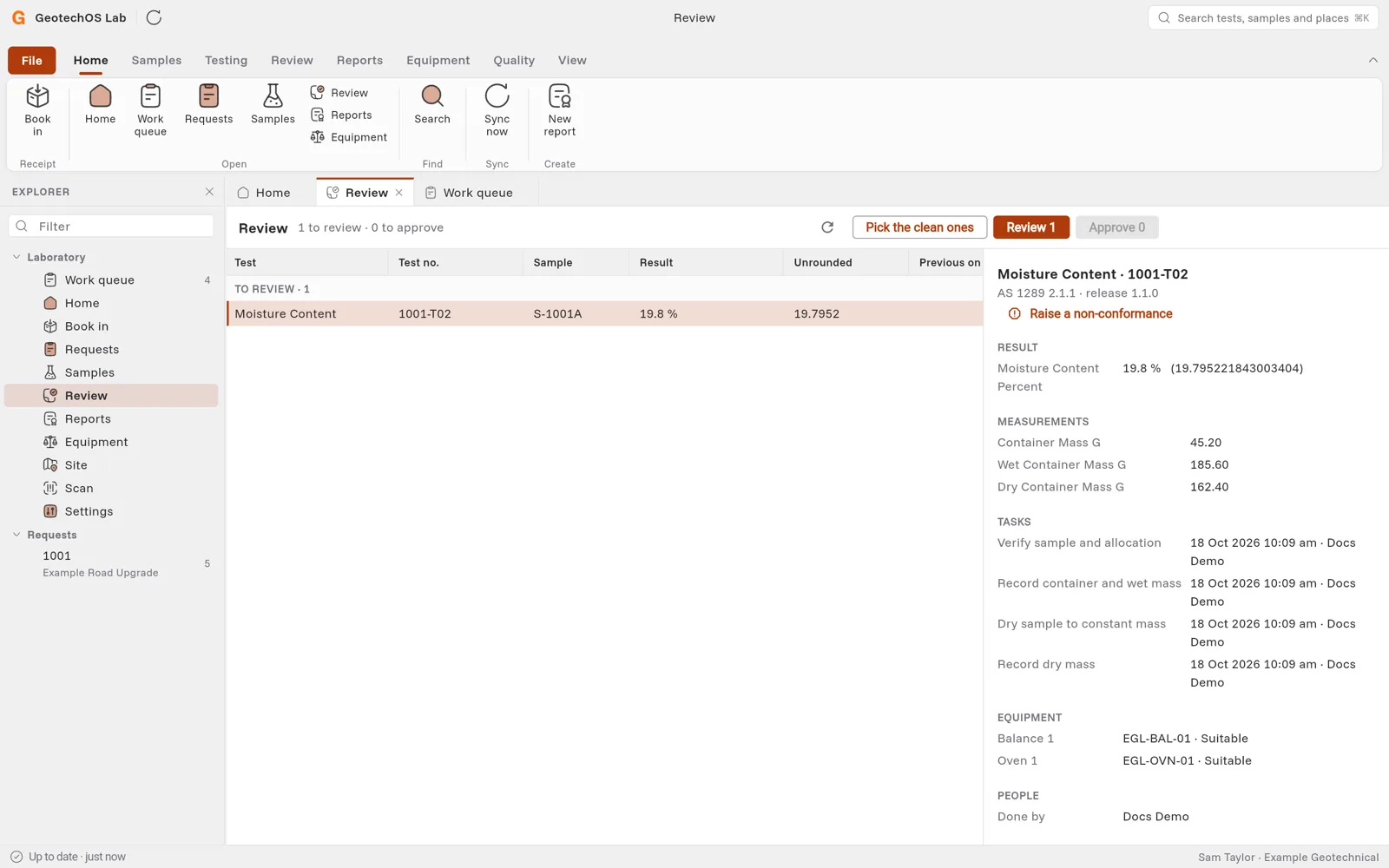
To review many tests at once, click Pick the clean ones. Lab picks the tests with nothing to look at. Then click Review or Approve.
Approve on a phone
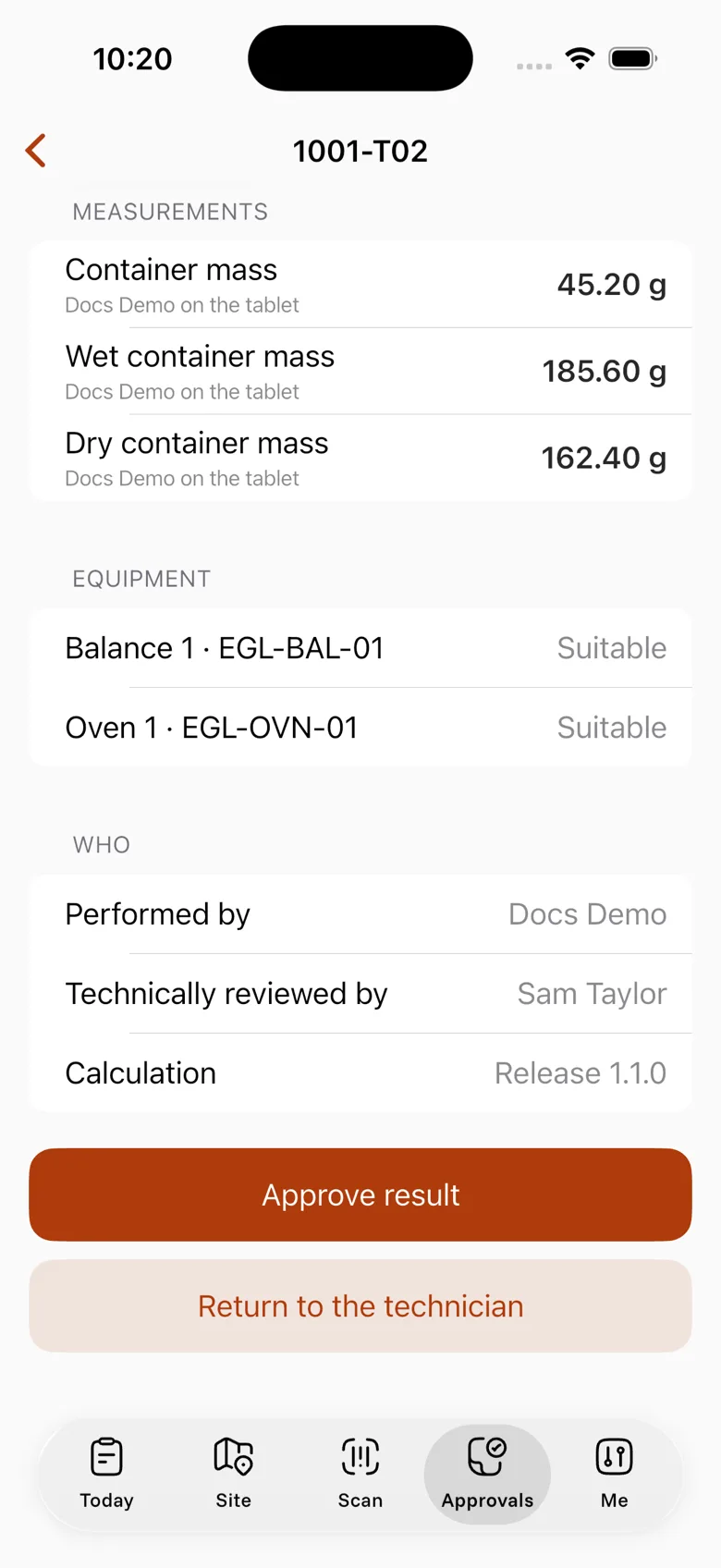
- Tap Approvals. The list shows Awaiting your approval.
- Tap the test and check it.
- Tap Approve result.
- Type a comment if you want, then tap Continue.
Return a test
If something is wrong, return the test to the person who did it:
- Open the test.
- Tap Return to the technician.
- Type why. A reason is necessary.
The test shows in Returned to you on that person's Today.