
Nuclear gauges
Record the daily standard counts of a nuclear moisture-density gauge in GeotechOS Lab (AS 1289.5.8.1), judged against the gauge's earlier counts.
Applies toWindows and macOSWeb browserPhone and tablet
Before you use a nuclear gauge, take its standard counts. Lab judges them against the average of the earlier counts (AS 1289.5.8.1, Appendix A). A gauge whose counts are out of the limits cannot be used for field density tests.
Set up the standard count check
- Open Equipment and checks and click the gauge, for example Nuclear gauge 1.
- Under Set up a check, click Nuclear gauge standard counts.
- Type the Prescale factor from the gauge's manufacturer.
- Click Set up the check.
You can also set up the radiation monitoring check and the density system consistency check.
Take the standard counts
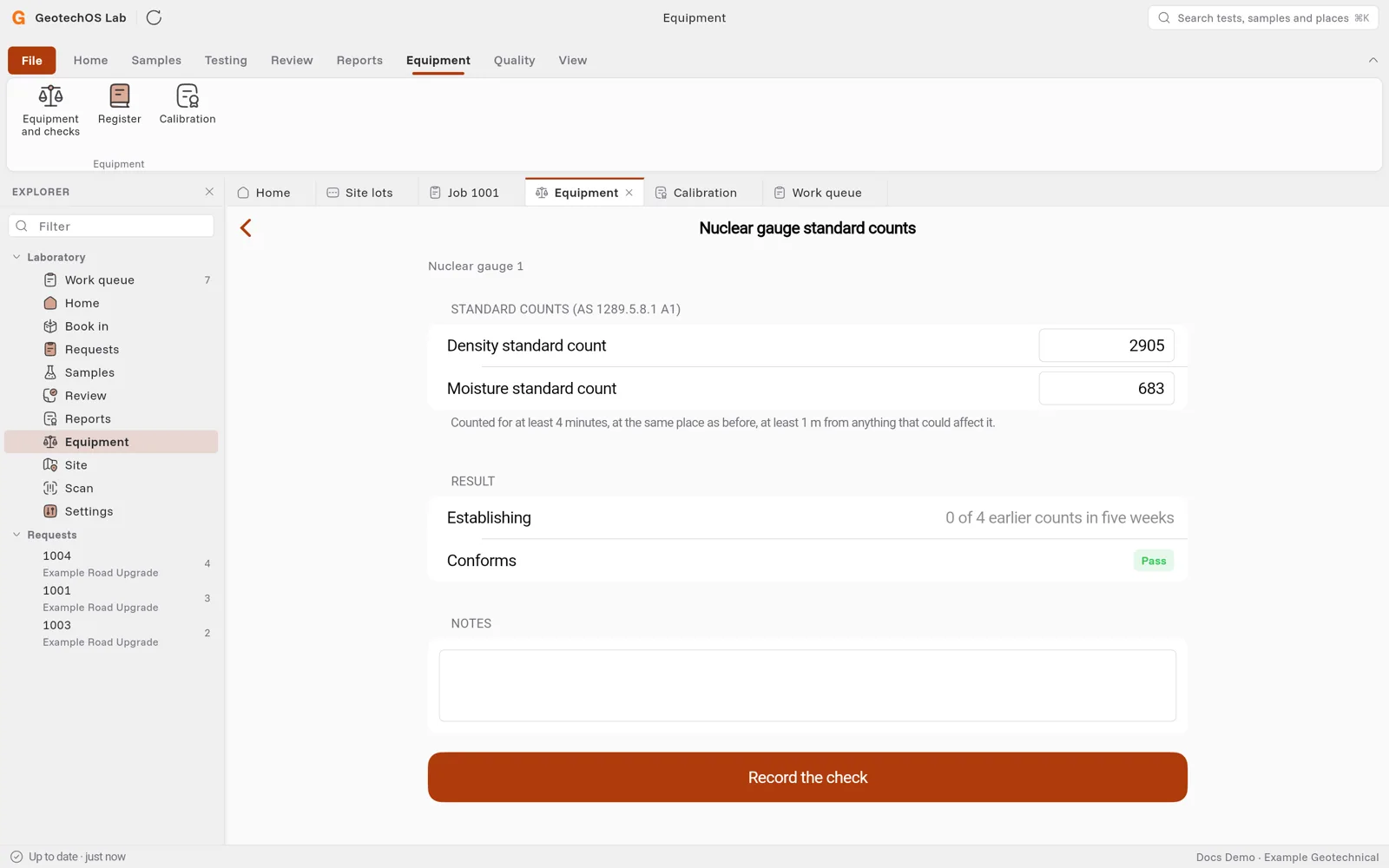
- Count for at least 4 minutes, at the same place as before, at least 1 m from anything that could affect the count.
- Open the gauge and click Nuclear gauge standard counts.
- Type the Density standard count and the Moisture standard count.
- Under Result, Lab compares them with the last four counts in five weeks. While a new gauge has fewer than four, Lab shows Establishing.
- Click Record the check.
On site, you also type the standard counts on the nuclear sheet or the asphalt lot. See Site lots.