Non-conformances and other quality registers
Keep the quality records of your laboratory in GeotechOS Lab - non-conformances, measurement uncertainty, chemicals and approved suppliers (ISO/IEC 17025).
Applies toWindows and macOSWeb browser
The Quality tab holds the registers that ISO/IEC 17025 asks a laboratory to keep.
Non-conformances
A non-conformance is work that did not meet a requirement, for example an oven out of its range.
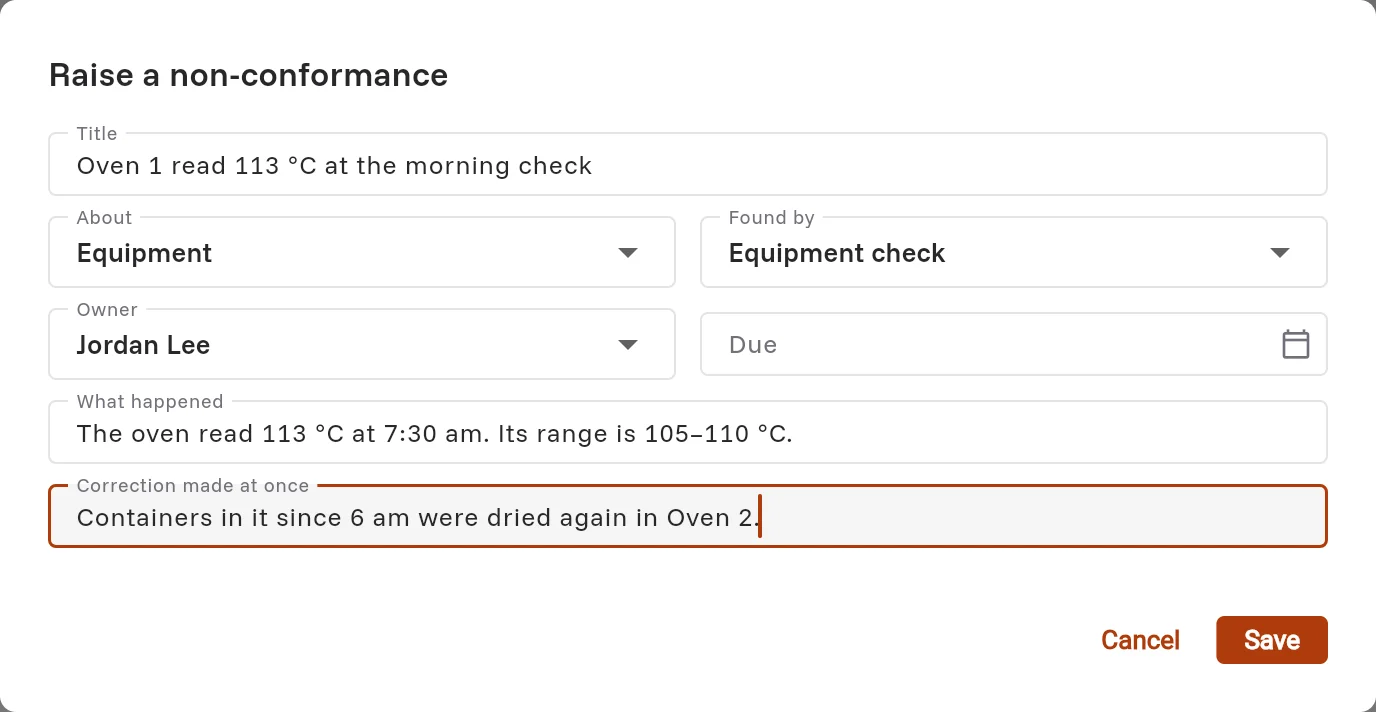
- Click Quality › Non-conformances, then click Raise one.
- Type a Title. Choose what it is About and How it was found.
- Choose the Owner and, if you want, a Due date.
- Type What happened and the Correction made at once.
- Click Save. Lab gives it a number, for example NC-0001.
To work on it, click it and click Work on it. Type the Cause, the Corrective action and How the action was seen to work, and set the Status.
Note: Another person closes a non-conformance, not the person who raised it. Lab asks for the cause, the action and how it was seen to work before it can be closed.
You can also raise a non-conformance from a test, from a piece of equipment or from a failed check. It is then linked to them.
Measurement uncertainty
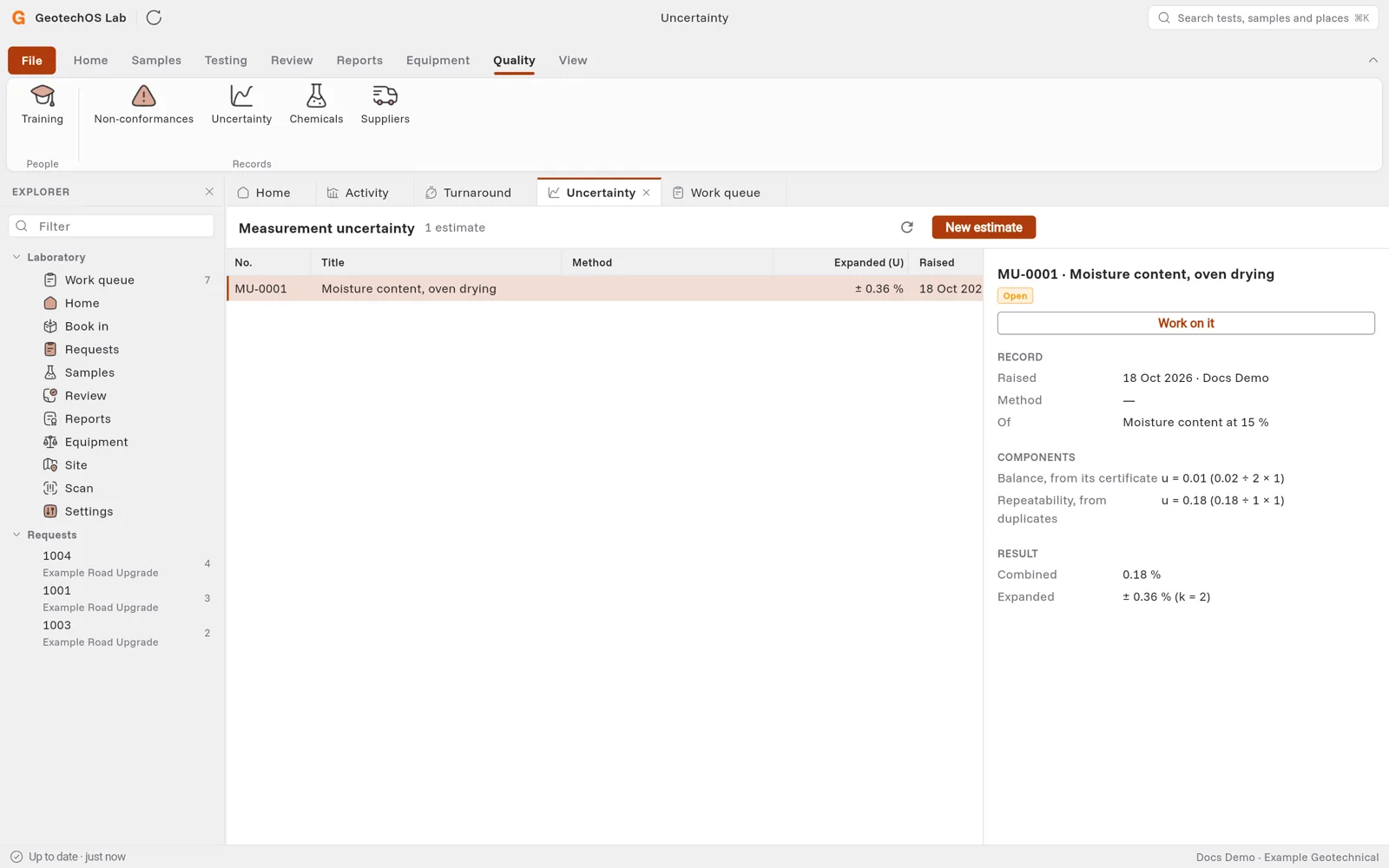
- Click Quality › Uncertainty, then click New estimate.
- Type a title, the method, the quantity and its unit, the level it applies at and the coverage factor k, usually 2.
- For each component, type its source and value. The Divisor is 1.732 (√3) for a rectangular spread, and 2 for a certificate value at k = 2.
- Click Save.
Lab combines the components by root-sum-square and shows the expanded uncertainty, for example ± 0.36 % at k = 2, to two significant figures.
Chemicals
Click Quality › Chemicals, then Add a chemical. Record its name, concentration, batch, when it was prepared and by whom, its use-by date, where it is kept, its supplier and its hazard. The register shows how many chemicals are past their use-by date.
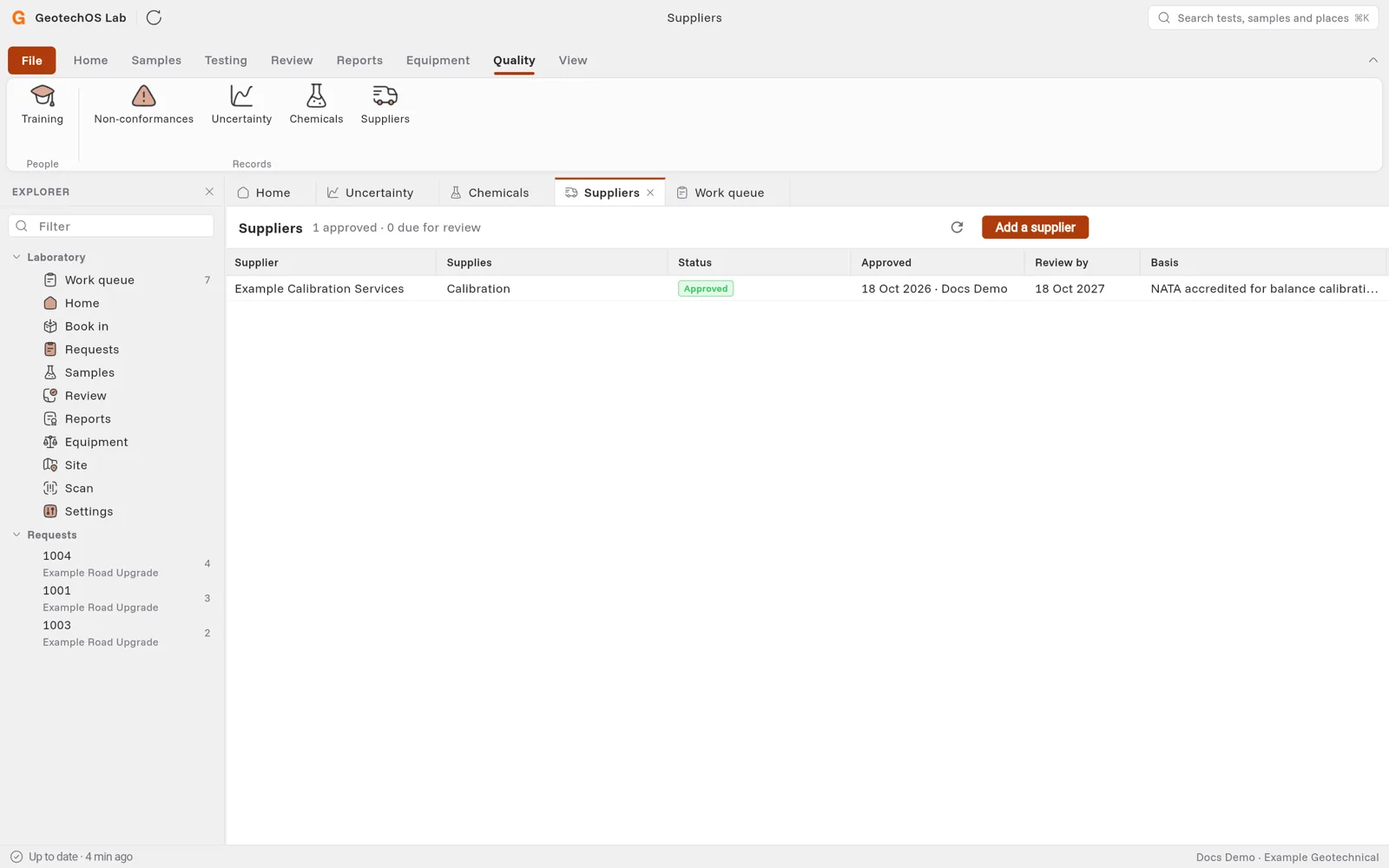
Suppliers
Click Quality › Suppliers, then Add a supplier. Select what they supply, for example Calibration. Set the Status, type the basis of the approval and the accreditation, and choose the date to review them by.