Calibration of equipment
Schedule the calibration of balances, gauges and thermometers in GeotechOS Lab, record each certificate and have a second person accept it.
Applies toWindows and macOSWeb browser
A calibration is done by a provider, for example a NATA-accredited calibration laboratory, and comes with a certificate. Lab keeps a schedule for each item, records each certificate and tells you when to book the next one.
Schedule a calibration
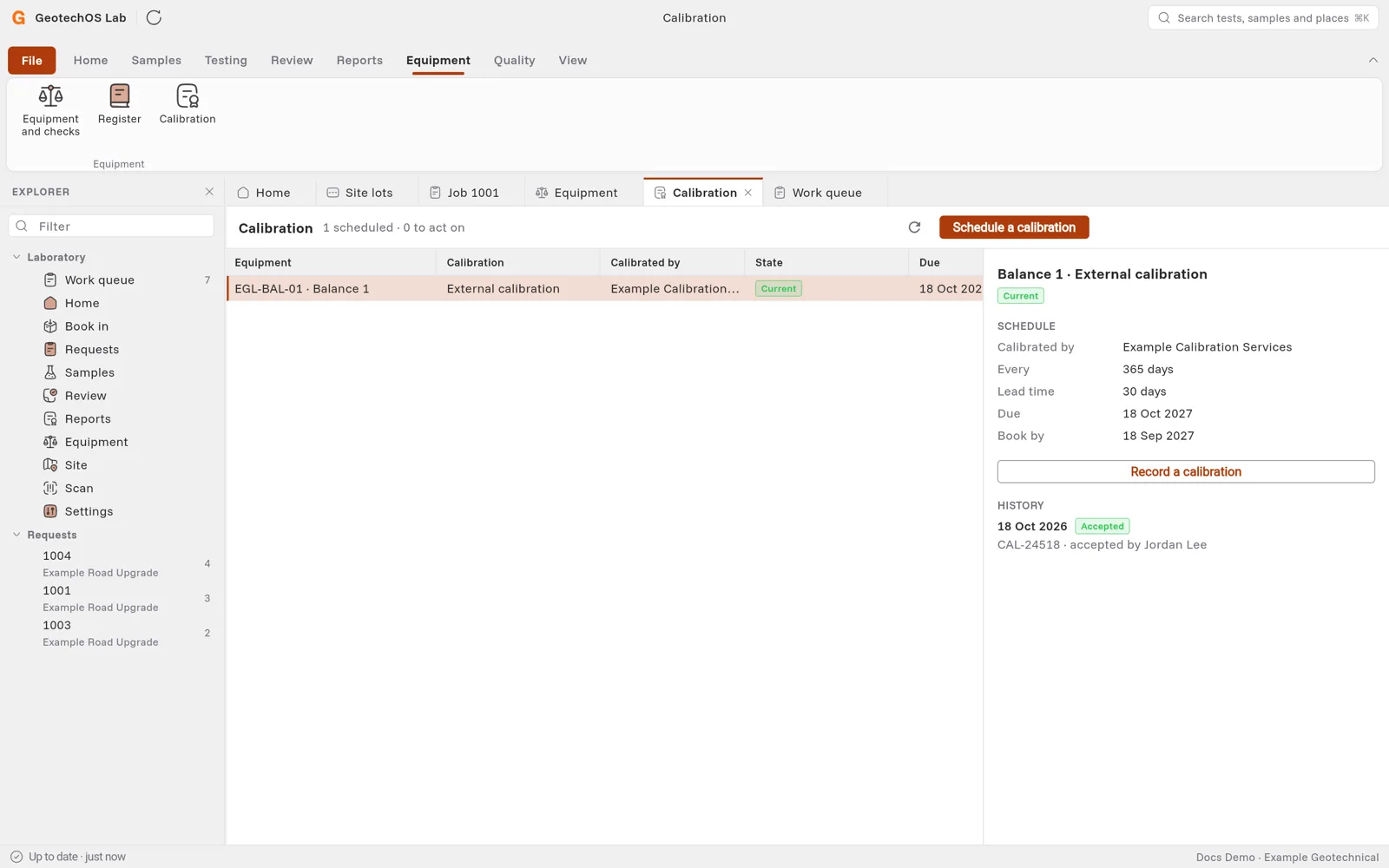
- Click Equipment › Calibration.
- Click Schedule a calibration.
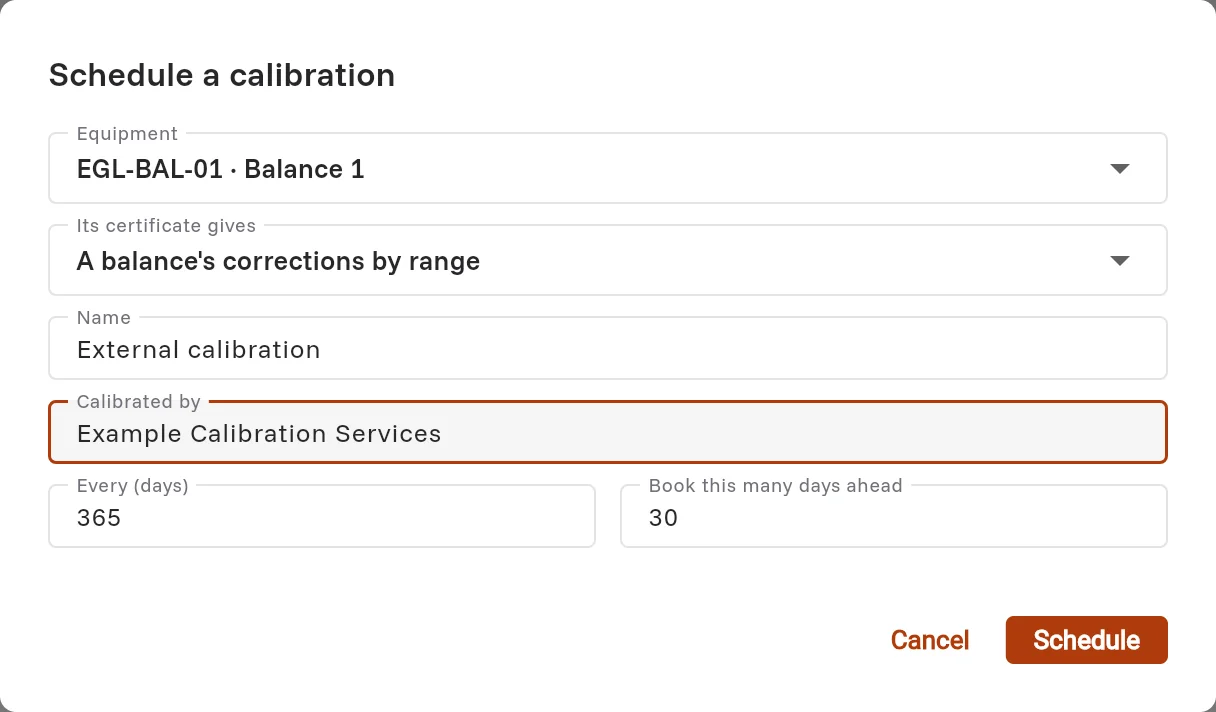
- Choose the Equipment and what its certificate gives, for example Points with correction and uncertainty.
- Type who calibrates it, how often (in days) and how many days ahead to book it.
- Click Schedule.
The item shows Never calibrated until its first certificate is accepted.
Record a certificate
- Click the row of the item, then click Record a calibration.
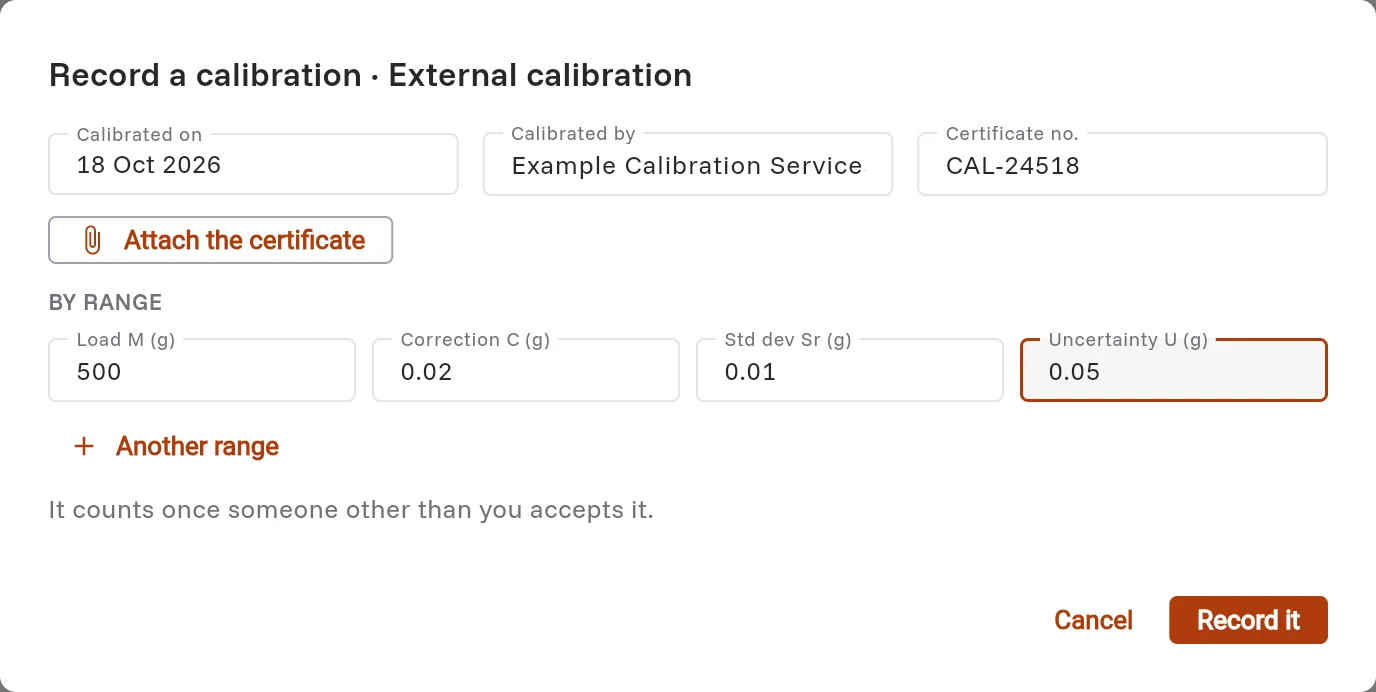
- Type the date, the provider and the certificate number. Click Attach the certificate to keep the PDF.
- Type the values from the certificate, for example the load, the correction and the uncertainty for each range.
- Click Record it.
Accept or reject it
A second person checks the certificate. They open the item and click Accept or reject, then say whether the certificate is supplied, meets the requirements and is fit for purpose.
If you recorded the certificate, Lab tells you that another person accepts it. The calibration counts from when it is accepted.
When it is accepted, the item shows Current, with the date it is due and the date to book it by.