
Training and competency
Record training in GeotechOS Lab, see who is competent and authorised for each method in the training matrix, and see when an authorisation lapses.
Applies toWindows and macOSWeb browser
Lab keeps a training record for each person and each method. The training matrix shows who is competent to do each test and who is authorised to review and approve it. Lab does not let a person do, review or approve a test without a current authorisation.
Read the training matrix
Click Quality › Training. The matrix has a row for each person and a column for each method and check. Each cell shows the level, for example Competent or Authorised, and what the person may do: tests, reviews, approves.
The line at the top shows how many authorisations are lapsing.
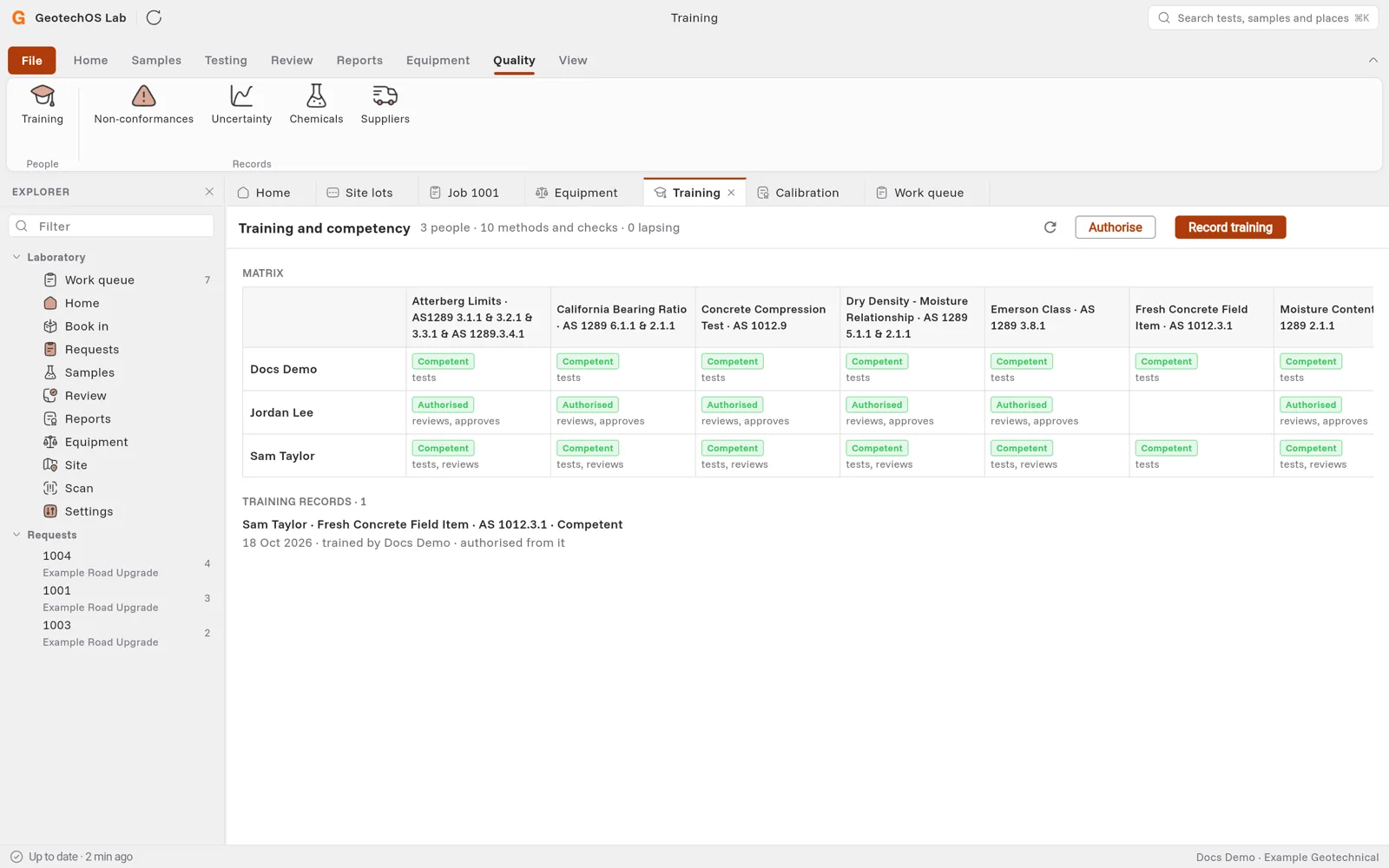
Record training
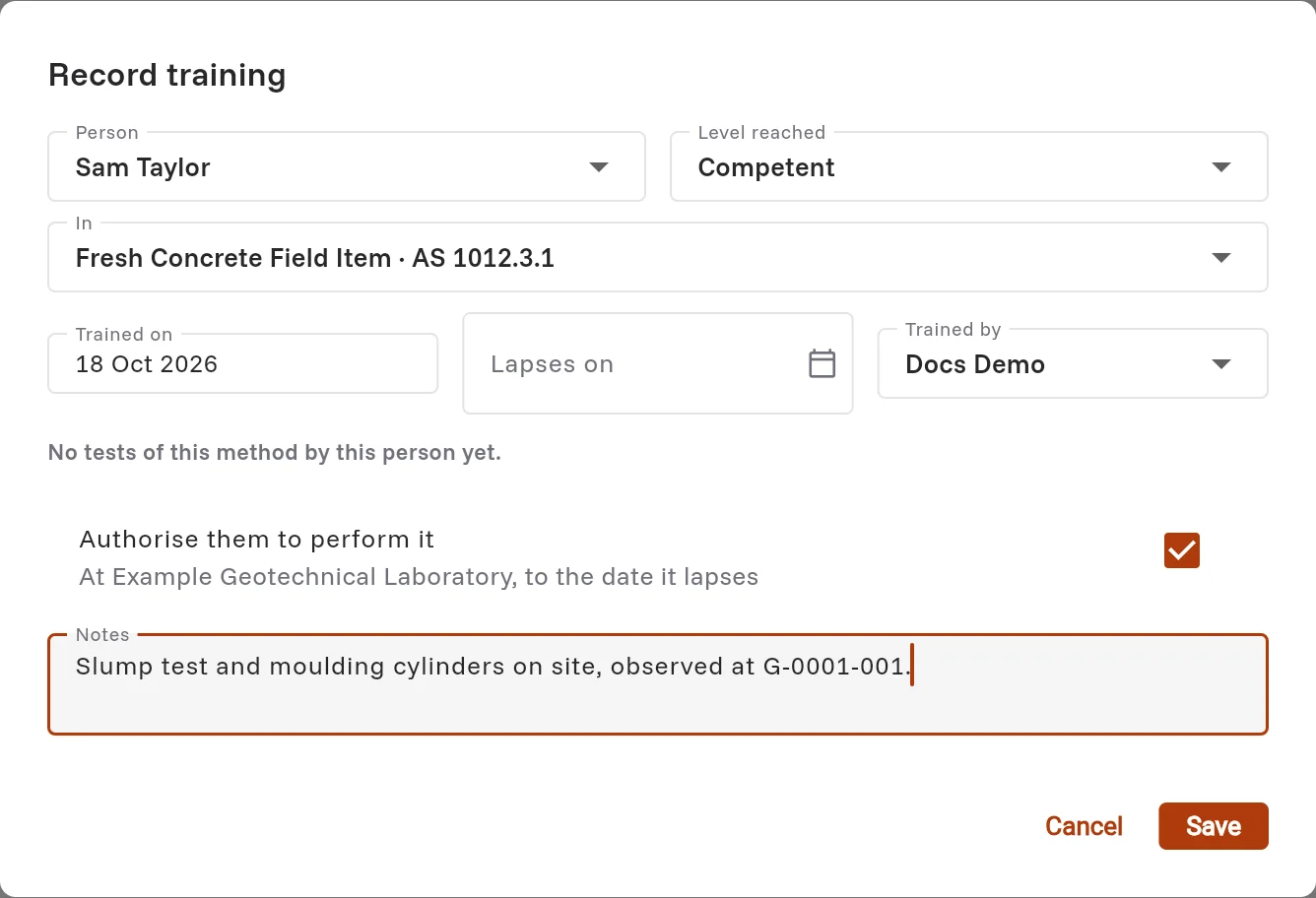
- Click Record training.
- Choose the Person, the Level reached and the method or check under In.
- Choose the day under Trained on. If the training lapses, choose the day under Lapses on.
- Choose who trained them.
- Lab shows how many tests of the method the person has done. To let them do the test from now, keep Authorise them to perform it selected.
- Type notes, for example how you observed them, and click Save.
Authorise a reviewer or approver
Click Authorise to let a person review or approve a method. See Say who may test, review and approve.