
Use Lab on an iPad at the bench
Use GeotechOS Lab on an iPad at the laboratory bench. Learn the icon rail, the command bar and the split view that shows a test beside the list.
Applies toPhone and tablet
On an iPad, Lab is made for the bench. The fields are large and easy to touch, and you can work with no internet connection.
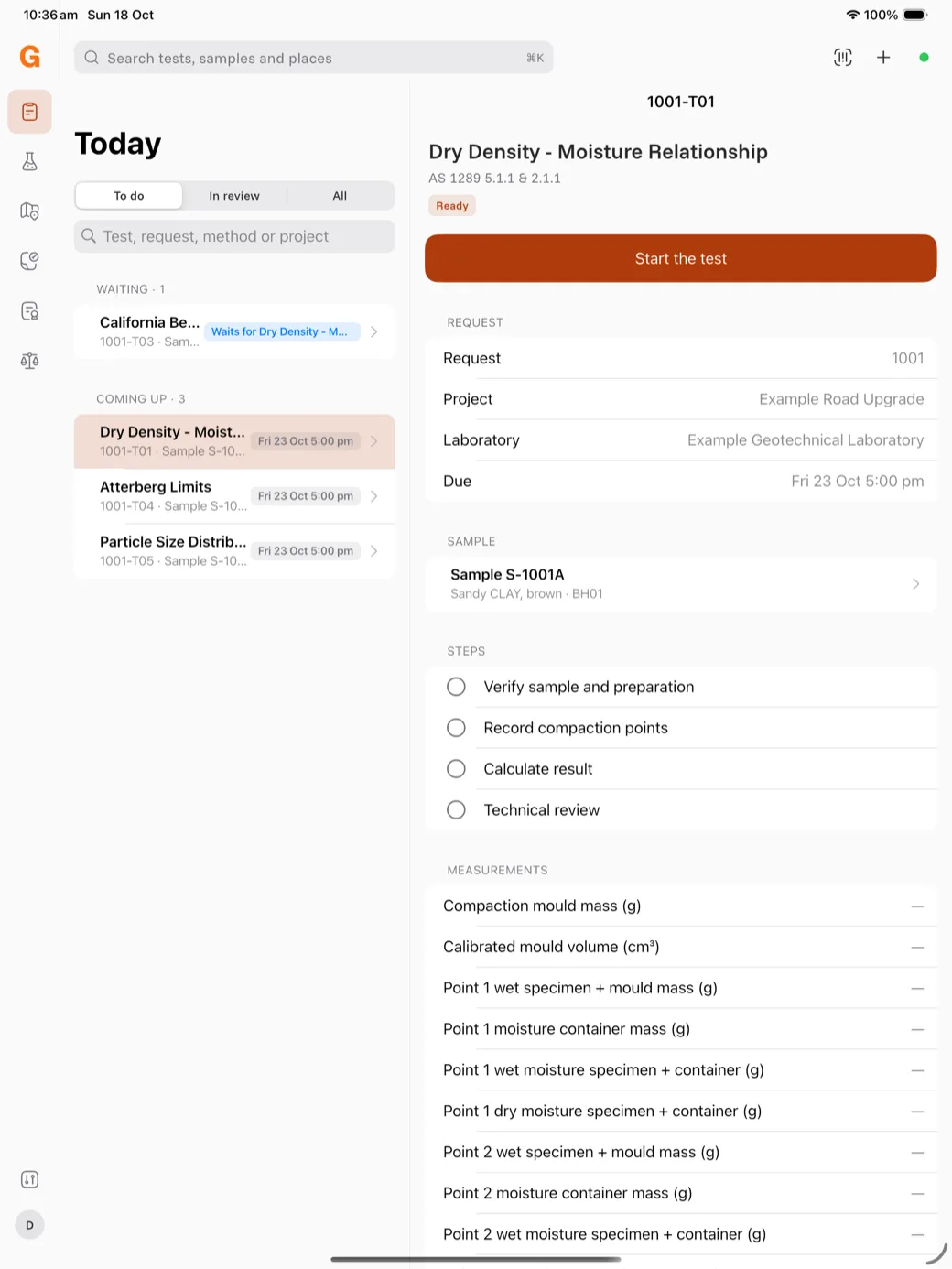
The parts of the screen
- The icon rail at the left goes to Today, Samples, Site, Review, Reports and Equipment. The settings icon and your account are at the bottom. Touch and hold an icon to see its name.
- The command bar at the top has the search box, the scan button, the + button for new work, and a coloured dot for sync. Green means up to date. Tap the dot to sync.
- Split view. When the iPad is landscape, the list stays at the left and the item you tap opens at the right. In portrait, the item opens over the list.
Today
Today shows your tests in groups:
- Returned to you — a reviewer sent the test back.
- Overdue and Due today.
- In progress.
- Waiting — for example a CBR in its soak, or a test that waits for another test's result.
- Coming up, No due date and Blocked.
Use To do, In review and All at the top to change the list. Type in the search box to find a test, a job, a method or a project.
Keyboard shortcuts
With a keyboard on the iPad:
- ⌘K opens the search.
- ⌘N starts new work.
- ⌘Return submits the open worksheet.