
Issue a concrete field report from site
Make the fresh concrete field report on site in GeotechOS Lab, from the loads' approved slumps, slump flows and stability, then approve, issue and email it.
Applies toPhone and tablet
The fresh concrete field report lists the loads that you sampled on a site visit. You can make it on site, before you leave, when the loads' results are approved. The strength results follow later in the concrete compressive strength report.
Before you start
- Each load's slump, slump flow or stability must be approved. They go for review when the sample is sent. See Review and approve results.
- Making the report needs an internet connection.
Make the report
- Tap Site, then the site visit.
- Tap Concrete field report.
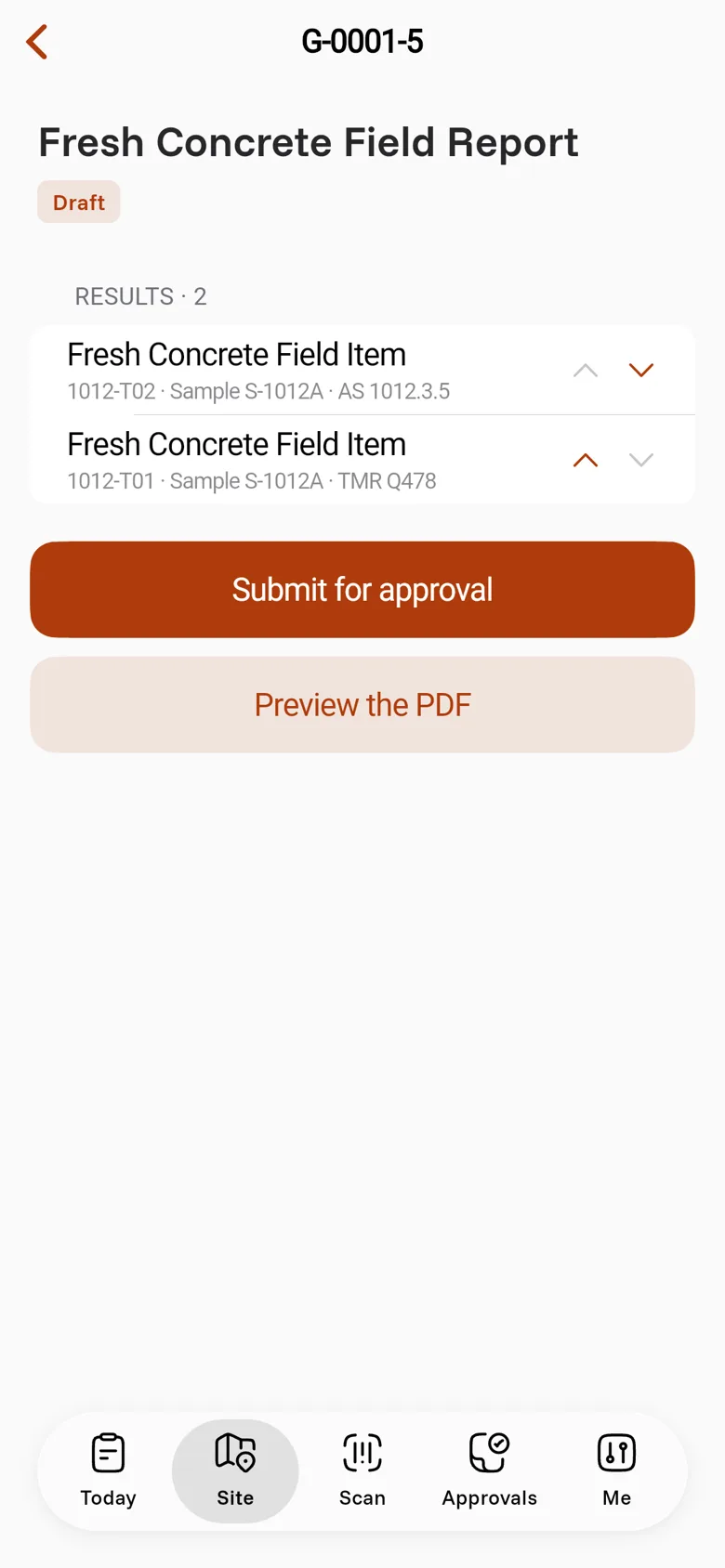
Lab collects the visit's loads with approved results that are not on a report yet. It makes the report as a Draft, for example G-0001-5, and opens it. Each row shows the test, the sample and the method, for example 1012-T02 · Sample S-1012A · AS 1012.3.5.
If nothing is approved yet, Lab says Nothing to report yet.
Check the report
- Tap Preview the PDF.
- Tap Open, or tap Share or print to send it to another app.
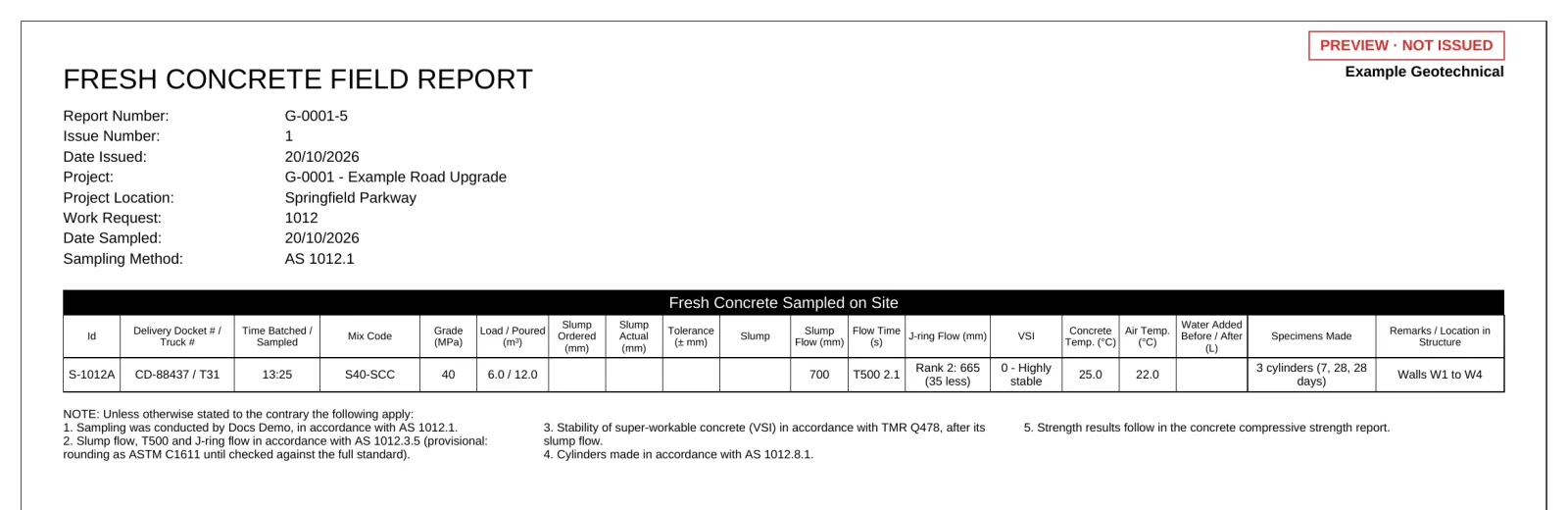
The report has one row for each load:
- the docket and truck, the batched and sampled times, the mix code and the grade (the header gives the sampling procedure and the weather)
- the load and the volume poured so far
- the ordered and actual slump, with its tolerance
- the slump flow, the T500 or T350, and the J-ring flow
- the stability index, the temperatures and any water added
- the specimens made and where in the structure the load went
The notes under the table name each method that the loads used.
Approve and issue it
- Tap Submit for approval.
- A signatory approves the report on a computer or an iPad. See Make a laboratory test report.
- Issue and email it. See Issue and email a report.